
What’s worth knowing in the Squarespace world.
For designers, developers, and people building businesses around Squarespace.
Understanding the Squarespace Blog Design Settings
Squarespace was designed to prioritize ease of use over complete design flexibility. This is particularly true with blog templates. To ensure consistency and a user-friendly experience, they limit the degree of structural changes you can make without deep code manipulation.
What You Can and Can't Easily Do
You CAN:
Choose the most suitable starting template to minimize customization needs.
Utilize built-in template settings to adjust date formats, toggle category displays, control excerpt lengths, and configure image styles.
Employ custom CSS to change colors, fonts, and certain spacing or element styles. This offers some flexibility but has its limits.
You LIKELY CAN'T (without advanced code):
Radically alter the position of core elements like the blog post date or categories. These positions are often hardcoded into the HTML of the template itself.
How to Customize Your Squarespace Blog Template
Minor Changes: Utilize the provided options within the template editor for basic adjustments to:
Fonts
Colors
Image placement
Spacing
Advanced Changes (Custom Code):
CSS:
Target specific HTML elements using their classes and IDs.
Reposition elements like the date by changing properties like
position,margin, andpadding.Change the overall look with styles for fonts, colors, etc.
JavaScript (limited use cases):
Add dynamic behavior (e.g., show/hide elements on interaction).
Be cautious, as JavaScript can interfere with core Squarespace functionality.
Important Considerations
Squarespace Versions: Customization capabilities can differ between Squarespace 7.0 and 7.1. Make sure you know your site's version. Read here to find out what template your site it using.
Code Injection: You can add CSS and JavaScript using the "Code Injection" feature in your site settings.
Backup: Always create a backup of your site before making extensive code changes.
Example: Moving the Date (CSS)
Let's say the CSS class of the date element on your blog post is .blog-post-date. Here's how you could move it below the title:
CSS
/* In Code Injection -> Advanced -> Header */
.blog-post-date {
    position: relative; /* Allows movement */
    top: 20px;          /* Distance to move down */
    left: 0;            /* Adjust if needed */
}
Workarounds and Trade-offs
Code Injection: Injecting JavaScript and potentially some HTML can potentially reposition elements. However, this is an advanced technique, requiring coding expertise. Also, these customizations are prone to breaking with Squarespace updates, demanding ongoing maintenance.
CSS "Hacks": Sometimes specific CSS tricks can reposition elements, but their reliability varies across templates and they lack long-term stability.
Alternative Platforms: If deep structural control over blog presentation is non-negotiable, platforms like WordPress offer full template editing, though they require a higher technical skill level for setup and maintenance.
Compromise: You might need to adjust your design expectations to align with Squarespace's constraints. Focus on achievable adjustments through the built-in settings and limited CSS styling.
Summary Blocks: While losing some automatic blog functionality, Summary Blocks within regular Squarespace pages provide more layout freedom. Consider if this trade-off is worthwhile for your specific needs.
Official Squarespace Documentation:
Blog Page Settings: . This is the essential starting point explaining what settings Squarespace provides to customize your blog layout and appearance.
Adding custom code to your site: This details how to inject code into your Squarespace site. Remember, significant blog layout changes likely require this approach.
Community Resources and Examples:
Squarespace Forum: The community forum has many discussions regarding blog customization. You can search using terms like "blog template customization" or "squarespace blog CSS". Be aware of the dates of threads, as Squarespace updates can affect older solutions.
Squarespace Customization Blogs: Several blogs specialize in Squarespace code customization and often tackle blog-related adjustments. A few resources include:
Will Myers: https://www.will-myers.com/
Square Secrets: https://www.squaresecrets.com/
SquareKicker: https://www.squarekicker.com/

8 Best Squarespace Themes for Writers and Authors
As a writer or author, having a professional and visually appealing website is crucial for showcasing your work, attracting new clients, and building your online presence. Squarespace is a popular website builder that offers a wide range of templates to help you create a stunning website without any coding knowledge. In this ultimate guide, we will explore the best Squarespace templates for writers and authors, including third-party templates Idyll and Quill & Co.
1. Suhama

Suhama is a bold and minimalist one-page portfolio template that is perfect for writers who want to showcase their resume and writing samples. The template features sections for your work experience, portfolio links, a brief bio, and contact information. With its clean design and easy navigation, Suhama is an excellent choice for writers looking to create a professional online presence.
2. Stanton
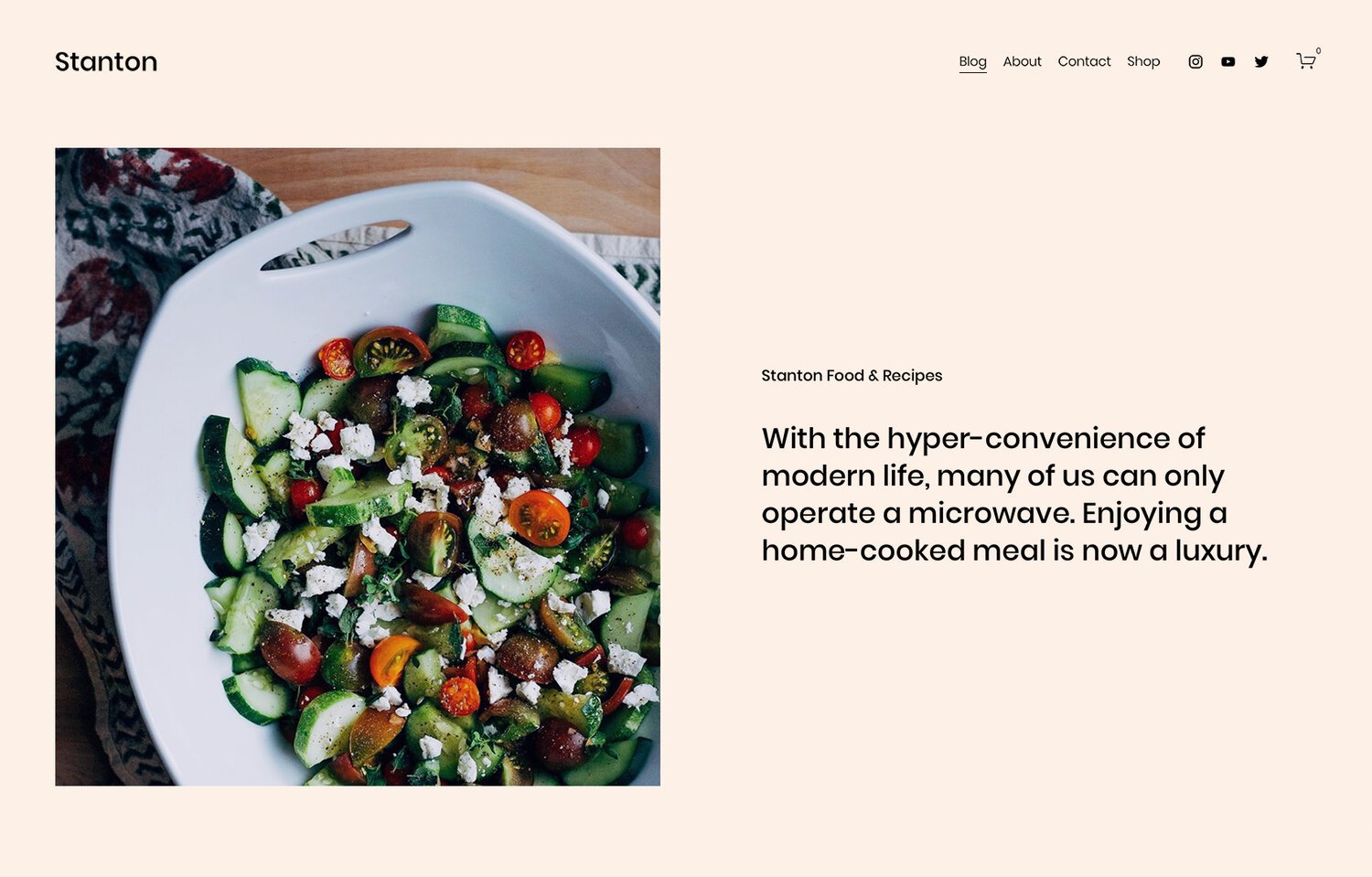
Stanton is a versatile template that is ideal for writers who want to focus on blogging and selling books. The template features a clean and organized layout, with sections for recent writing, book promotion, and a built-in online store. The newsletter sign-up block at the bottom of the homepage is a great addition for writers looking to grow their email list and engage with their audience.
3. Almar

Almar is a simple yet elegant template that is perfect for writers who want to promote their work and connect with new clients. The template includes sections for a brief introduction, portfolio, logo, testimonials, and a contact form. The minimalist design of Almar allows your writing to take center stage, making it an excellent choice for writers who want to showcase their work without any distractions.
4. Mérida

Mérida is a magazine-style template that is perfect for writers who maintain a heavy publishing schedule or run a larger digital publication. The template features a well-organized homepage that can handle a large amount of content without looking cluttered. The one-column post pages make great use of negative space, creating a visually appealing and easy-to-read layout.
5. Manual

Manual is a tailor-made template for authors looking to promote and sell their books. The template features sections for book cover art, a short blurb, reviews, an author bio, and a newsletter sign-up block. With its built-in store and dedicated sections for promoting your book, Manual is an excellent choice for authors looking to create a professional and engaging website.
6. Cadere

Cadere is a Squarespace template designed for finance writers, authors, or bloggers who want to build a personal brand. It features a clean and professional design with an emphasis on clean typography. The layout is straightforward and modern, with plenty of white space to allow the content to take center stage. Cadere also includes a pre-built blog called Journal, where authors can share articles on finance and business. It offers features such as an email newsletter to help build a mailing list, a booking page for potential customers to schedule consultations, and a versatile layout to showcase books, upcoming events, or speaking engagements. However, it does not have built-in eCommerce functionality, so selling books directly from the template would require customization. Overall, Cadere is a great choice for finance writers, authors, or bloggers looking to build a branded site.
7. Vester

Vester is a Squarespace template designed for travel bloggers and writers who want to share their adventures. The layout of Vester is clean and well-organized, with a grid layout for blog posts and tags or categories to easily navigate through different parts of the blog. The content width of the articles is optimized for readability, with generous spacing between paragraphs and headlines. Vester also includes features such as author profile and management, an email subscription form to build a mailing list, and integration with Twitter and Instagram. However, it is important to note that Vester is primarily a blog template and may not be suitable for writers who want a more brand-focused website or want to sell their own products. Overall, Vester is a clean and well-organized template for travel writers looking to create a blog.
Third-Party Squarespace Templates for Writers and Authors
8. Idyll

Idyll is a strategically designed Squarespace 7.1 template created specifically for authors. Priced at $297, this template features 10 pre-built pages complete with writing prompts to make launching your site easy. The minimal and modern design of Idyll is perfect for authors looking for a light and airy style for their website.
9. Bounce Books
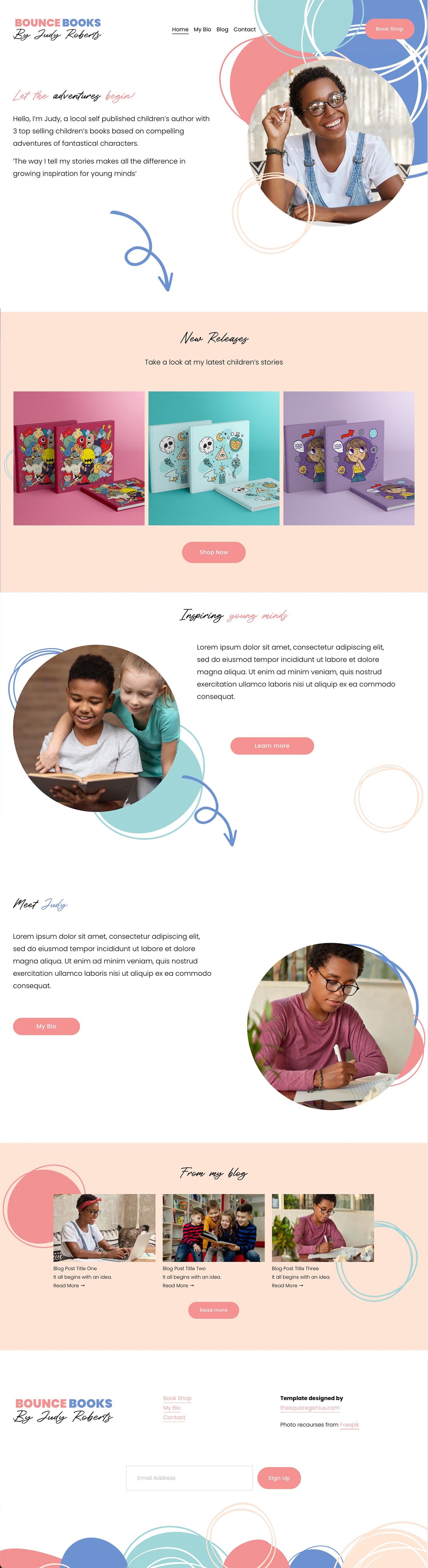
This flexible Squarespace template is ideal for authors, copywriters, and bloggers. Easily adapt it for other uses like showcasing charities or children's organizations. Build a unique website to highlight your writing, services, or the important work of your organization. The template's customization options ensure a perfect fit for your brand.
Choosing the right Squarespace template for your writer or author website is crucial for creating a professional and engaging online presence. Whether you're looking to showcase your portfolio, promote your books, or share your latest blog posts, Squarespace offers a wide range of templates to suit your needs. With the right template and some customization, you can create a stunning website that showcases your writing and helps you connect with your audience. Don't forget to consider third-party templates like Idyll and Quill & Co for even more unique and creative options.
Best Squarespace Product Review Plugin
Building trust and providing social proof are crucial for any e-commerce business looking to boost sales and conversions. That's why having a robust product review system in place is so important. Over the years, I've tried various plugins and review widgets for my Squarespace site, and one app stands out above the rest - Wiremo.

What is Wiremo?
Wiremo is a dedicated product review app designed specifically for Squarespace websites. It offers a seamless integration with the platform, allowing you to easily collect, manage, and display customer reviews on your product pages. But what sets Wiremo apart is its powerful automation capabilities and customization options.
The Drawbacks of Yotpo
Before discovering Wiremo, I used Yotpo, a popular review widget. While Yotpo offers some great features, its biggest limitation for me was the inability to fully automate review requests. I even built a custom integration to add the Yotpo widget to all my product pages, but the manual effort required to solicit reviews was simply too time-consuming and inefficient.
Automated Review Requests Made Easy
One of Wiremo's standout features is its automated review request system. With just a few clicks, you can set up a fully automated process to request reviews from customers after their orders have been fulfilled. Here's how it works:
Select the number of days after purchase you want to send the initial review request.
Set the interval between emails for customers who purchased multiple products.
Choose the maximum number of automated review requests for multiple purchases.
Determine the number of reminders you want to send if the customer doesn't respond.
By automating this process, you can consistently collect fresh reviews without the manual effort, resulting in a steady stream of social proof for your products.
Design and Customization Options
But Wiremo isn't just about automation. The app also offers a range of design and customization options, allowing you to seamlessly integrate the review widgets with your Squarespace site's branding and aesthetic. You can adjust styles, colors, and layouts to create a cohesive look and feel.
Here's an example of how the Wiremo review widget looks on one of our product pages:

As you can see, the reviews blend in perfectly with our site's design, providing a native and engaging experience for customers.
Pricing and Value
Wiremo offers flexible pricing plans to suit businesses of all sizes, with options for both monthly and annual subscriptions. Considering the time and effort it saves, as well as the potential impact on conversions and sales, Wiremo is a worthwhile investment for any Squarespace store owner.
Conclusion
After trying various product review solutions, Wiremo stands out as the clear winner for Squarespace users. Its automated review request system, design customization options, and seamless integration make it the best choice for efficiently collecting and displaying customer reviews. If you're looking to build trust, provide social proof, and ultimately drive more sales, give Wiremo a try – your customers (and your bottom line) will thank you.



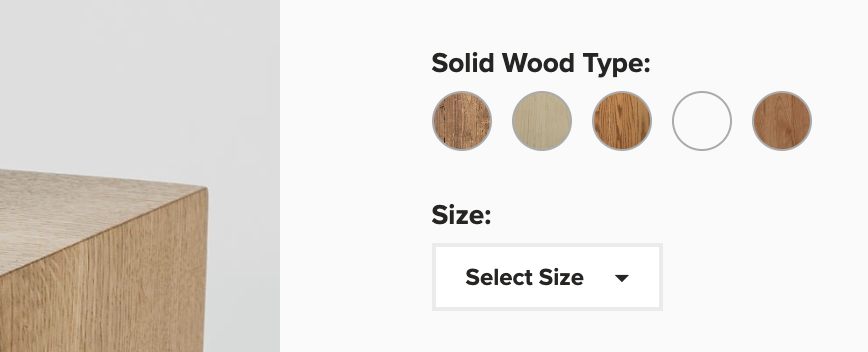







✅ Squarespace 7.0 and 7.1 compatible • ✅ All templates supported • ✅ Mobile responsive
⚠️ Requires Squarespace Business Plan or higher for full functionality.
💡 Personal Plan users can use the alternative markdown method. See FAQ below.
Add a Lightbox Popup to Squarespace
Lightbox Anything lets you open custom content in a popup from buttons, images, text links, galleries, and more.
Use it for forms, videos, team bios, product details, portfolios, promos, gated content, upsells, galleries, and custom page sections — without sending visitors to another page.
Click to View Demo →
Want to see the setup process first?
▶️ Click to Watch Setup Video