
What’s worth knowing in the Squarespace world.
For designers, developers, and people building businesses around Squarespace.

8 Lessons Learned Selling Squarespace Templates
Selling Squarespace templates can be rewarding, but it’s not as simple as uploading a design and watching the sales roll in. It requires strategic thinking, audience-building, and a long-term commitment. If you’re willing to put in the work, it can be a great income stream—but if you’re looking for quick wins, this probably isn’t for you.
After years of selling templates, here are eight lessons I’ve learned:
1. Content Marketing is Non-Negotiable
If you want to sell templates, you have to create content. Blog posts, tutorials, YouTube videos, Pinterest graphics—something that educates or inspires your audience. A template alone isn’t enough; people need to see it in action, understand its benefits, and feel confident in purchasing.
Templates sell best when you provide valuable content that attracts and nurtures potential buyers.
2. You Need an Audience (And You Need to Build It)
No audience = no sales.
Most people don’t wake up thinking, I need a new Squarespace template today. Your job is to build a community of people who are likely to need one soon.
Start with:
SEO (so you show up when people search for templates)
Email marketing (so you stay top of mind)
Social media (so people see your work in action)
Paid ads (if you’re ready to scale)
Figure out where your buyers are already looking and meet them there.
3. Conversion Rates Are Lower Than You Think
Selling templates is a numbers game. Even with great marketing, most people who see your templates won’t buy—so you need volume.
Improve your conversions by:
Offering a freebie (like a mini-template or guide) to build trust
Using testimonials and case studies
Making it easy to preview your template
Offering a money-back guarantee (if it makes sense for your business)
Expect low conversion rates at first, but keep optimizing.
4. This is a Long-Term Game
Selling templates is not a quick-cash scheme. It takes time to gain traction.
You’ll need to:
Continuously update your templates
Create new designs based on demand
Engage with your audience consistently
Most successful template sellers aren’t just designers—they’re marketers and business owners playing the long game.
5. Differentiation is Everything (The Market Isn’t Too Saturated)
A common question: Is the Squarespace template market too saturated?
My answer: It depends.
There are a lot of templates out there, but there will always be people looking for something unique. Maybe they need a template for a niche that isn’t well-represented, or maybe they want something highly customized.
Instead of competing with existing designs, focus on what’s missing. There’s always room for something new.
6. How Much Money Can You Make?
Let’s break down the path to $100,000 selling templates.
If you sell a $274 template, you’d need to sell one per day to hit that goal.
Alternatively, you could create a template membership for $100/month and aim for 83 members.
Neither of these will happen overnight. You need a ramp-up period to:
Build your audience
Optimize your marketing
Increase your average order value
Start by solving a real problem. If your templates genuinely make people’s lives easier, you’ll have a reason to keep going.
7. Templates Let You Earn Back Your Time
When I started selling templates, I was transitioning from custom client work to digital products. The biggest win? Time.
After my daughter was born in 2017, we had a lot of hospital visits and specialist appointments. If I were still relying on billable hours, I wouldn’t have had the flexibility I needed.
Selling digital products like templates allowed me to create assets that continued to generate income—even when I wasn’t actively working.
If you’re designing websites regularly, you’re already creating templates. The shift is turning that work into a scalable, sellable product.
8. Marketplaces & Affiliates Can Accelerate Growth
Marketplaces
When launching, leverage existing platforms where buyers already exist:
Creative Market & Etsy (popular for Squarespace templates)
Ghost Marketplace (Squarespace-specific)
Google Shopping Ads (which often feature these platforms)
You can also list on SquarespaceThemes.com—my own directory for templates.
Affiliates
One of my favorite strategies: let other people sell for you.
An affiliate program means others promote your templates and earn a commission on sales. This helps you reach new audiences without doing all the marketing yourself.
Some great affiliate tracking tools:
Peachs
ThriveCart
Affiliatly
Last Word
Selling Squarespace templates is a great business if you’re strategic and committed. It’s not just about making beautiful designs—it’s about solving problems, building an audience, and marketing effectively.
If you’re just starting, here’s my advice:
Buy a template to see what works.
Start with one great design that solves a real problem.
Focus on content marketing and getting in front of buyers.
Be patient. Growth takes time.
Let me know your thoughts in the comments—I’d love to hear about your template-selling journey!

Best Squarespace Calendar Plugins for Events, Scheduling, and Bookings
Finding the right calendar plugin for Squarespace can be challenging, especially if you need features like event ticketing, recurring events, or seamless Google Calendar integration. While Squarespace provides basic event management tools, they may not be enough for businesses that handle complex bookings, public events, or client scheduling.
This guide reviews the best calendar plugins for Squarespace, helping you choose the right one for your needs—whether you're running an event-heavy website, a coaching business, or a service-based company.
Here are some popular choices along with situations where they excel:
Acuity Scheduling – Best for Service-Based Businesses
Acuity Scheduling is the go-to scheduling plugin for Squarespace, offering a fully integrated booking system for service-based businesses like gyms, salons, consultants, and online coaches.

Key Features:
Customizable booking system (appointments, group sessions, and recurring events)
Google Calendar, Outlook, and Apple Calendar sync
Automated client reminders via email or SMS
Integration with Stripe, PayPal, and Square for payments
Custom intake forms to collect client information
Pros:
✔ Built-in Squarespace integration for seamless bookings
✔ Advanced scheduling features with timezone detection
✔ Accepts payments during booking
✔ Free tier available
Cons:
✖ Higher tiers can be expensive
✖ Setup can take time for new users
Pricing:
Free (limited features)
Emerging: $15/month
Growing: $25/month
Powerhouse: $50/month
Best for: Service-based businesses needing advanced scheduling inside Squarespace.
2. Tockify – Best for Public Event Calendars
Tockify is an excellent visual event calendar plugin for Squarespace users who want an interactive, engaging event display. It’s ideal for community organizations, schools, and public events.

Key Features:
Customizable calendar layouts (modern, agenda, and list views)
Public event submission with approval settings
Sync with Google Calendar and external calendars
Mobile-friendly and embeddable on Squarespace
Pros:
✔ Beautiful, interactive designs
✔ Easy-to-use event submission for the public
✔ Custom branding and styling options
Cons:
✖ Premium features require paid plans
✖ Slight learning curve for new users
Pricing:
Free (basic features with branding)
Premium: $8/month
Best for: Public events, educational institutions, and local community sites.
3. Calendly – Best for Simple Appointment Scheduling
Calendly is a lightweight, user-friendly calendar plugin for Squarespace. If you need simple one-on-one or group bookings, it’s one of the best choices.

Key Features:
Google Calendar, Outlook, and Office 365 integration
Automated meeting reminders and confirmations
One-on-one and group scheduling options
Embed calendar directly on Squarespace
Pros:
✔ Simple to use and integrates well with other tools
✔ Free plan available
✔ Ideal for solo entrepreneurs
Cons:
✖ Limited customization options for branding
✖ No built-in payment processing (requires Stripe/PayPal integration)
Pricing:
Free
Premium: $8/month
Pro: $12/month
Best for: Freelancers, consultants, and small businesses needing quick scheduling.
4. Eventbrite – Best for Ticketed Events
Eventbrite is the best Squarespace event calendar plugin for businesses that sell tickets for concerts, workshops, and conferences.

Key Features:
Sell tickets and manage registrations
Promotion and marketing tools for events
Mobile app for event check-in and ticket scanning
Integrates with Squarespace for direct ticket sales
Pros:
✔ Helps promote events via Eventbrite’s marketplace
✔ Built-in ticketing system
✔ Strong event analytics and reporting
Cons:
✖ Per-ticket fees can add up
✖ Focused more on ticketing than general event scheduling
Pricing:
Service fees based on ticket sales
Best for: Businesses and organizations hosting ticketed events.
5. Setmore – Best for Multi-Staff Appointment Booking
Setmore is a feature-rich Squarespace booking calendar plugin that allows businesses to schedule multiple services and staff calendars.

Key Features:
Team scheduling for multiple employees
Zoom and Teleport video call integrations
Payment processing via Stripe
Automated email reminders
Pros:
✔ Free version available with strong features
✔ Ideal for multi-staff appointment scheduling
✔ Supports group classes
Cons:
✖ Premium features like SMS reminders require a paid plan
✖ Fewer customization options than Acuity Scheduling
Pricing:
Free
Premium: $9/user/month
Best for: Businesses that require scheduling across multiple team members.
6. Event Calendar App – Best for Customization
Event Calendar App is a fully customizable event calendar that supports Google Calendar integration and advanced event scheduling.

Key Features:
Supports recurring events
Custom styling for Squarespace
Embeddable on multiple platforms
Pros:
✔ Highly customizable
✔ Supports multiple views (monthly, agenda, list)
✔ Syncs with external calendars
Cons:
✖ Higher pricing for advanced features
✖ Some technical setup required
Pricing:
Free (limited)
Professional: $14/month
Premium: $28/month
Best for: Businesses needing a fully customizable event calendar.
7. Elfsight Event Calendar – Best for Simplicity
Elfsight Event Calendar is a lightweight, easy-to-use Squarespace calendar plugin that doesn’t require any coding.

Key Features:
Drag-and-drop event builder
Multiple layout options
Recurring event support
Pros:
✔ No coding required
✔ Very user-friendly
✔ Affordable pricing
Cons:
✖ Limited free version
✖ Less advanced than other tools
Pricing:
Free
Paid plans start at $5/month
Best for: Users who want a simple, non-technical calendar solution.
8. Time.ly Calendar
Efficient for managing a comprehensive event schedule directly within Squarespace.

Key Features:
Embeddable widgets that seamlessly integrate with Squarespace
Supports ticketing and RSVP functionalities
Advanced calendar functionalities like Google Maps integration
Pros:
Powerful tools for handling complex event management tasks
Offers integrations with other calendar apps (Google Calendar, iCal, Outlook)
Good customization options with the ability to import/export events
Cons:
Some users may find the feature set overwhelming for basic needs
The initial setup can be time-consuming to perfect
Pricing: Starts with a basic free option; premium features available in higher plans.
Ideal for: Businesses and individuals who host frequent events and require extensive calendar management features.
9. Commoninja Calendar

A straightforward and effective solution for integrating a customizable calendar into Squarespace.
Key Features:
Drag-and-drop builder for easy customization
Allows integration of multiple calendar types
Supports sync with Google Calendar
Pros:
Intuitive design makes it easy for users without tech skills
Lightweight widget that doesn’t slow down your website
Custom CSS options for advanced design customization
Cons:
Limited functionalities in the free version might necessitate an upgrade
Less known than other platforms, which might concern some users about long-term reliability
Pricing: Offers a basic free plan; premium features require a subscription starting at $7/month. *(Prices reflect per month, billed annually)*
Ideal for: Smaller businesses or individual creators looking for a simple, yet effective calendar solution.
Squarespace Calendar Plugin Comparison Table
| Plugin Name | Core Focus | Free Tier? | Notable Features | Pricing (Per Month, Annually) |
|---|---|---|---|---|
| Acuity Scheduling | Scheduling & Bookings | Yes (limited) | Time zone intelligent, in-depth reporting | $15 - $50 |
| Tockify | Event Submissions & Design | Yes (with branding) | Moderation tools, highly customizable | $8 - $28* |
| Calendly | Simple Scheduling | Yes | Integrates with many tools, team scheduling | $8 - $12 |
| Eventbrite | Event Ticketing & Promotion | Varies by ticket | Marketing tools, large marketplace | Varies |
| Setmore | Squarespace Integration | Yes (comprehensive) | Direct Squarespace plugin, class booking | $9+ |
| Event Calendar App | Versatile Calendar Display | Yes (limited) | Visual customization, recurring events | $14 - $28 |
| Elfsight Event Calendar | User-Friendly Widget | Yes (limited) | No-code setup, design templates | $5+ |
| Timely Calendar | Comprehensive Event Management | Yes (limited) | Ticketing & RSVP, Google Maps | Varies |
| Commoninja Calendar | Easy Customization | Yes (limited) | Drag-and-drop, Syncs with Google | $7+ |

6 Best Squarespace Real Estate IDX Plugins and Examples
🏡 Looking to Display MLS Listings on Squarespace? Here's How!
IDX (Internet Data Exchange) integration is the key to displaying MLS listings on your Squarespace real estate website. Since Squarespace doesn’t have built-in IDX support, you’ll need a third-party IDX plugin. This guide explores the best IDX plugins, their features, pricing, and how they can boost your website’s SEO and lead generation.
📌 How IDX Integration Works with Squarespace
What is IDX? IDX (Internet Data Exchange) allows realtors to pull live MLS listings onto their websites, keeping listings up-to-date and interactive.
Why Use IDX on Squarespace?
Automates content creation – Keeps listings fresh without manual updates.
Lead generation – Capture leads in exchange for MLS access.
Boosts SEO – More indexable content = better search rankings.
Engagement & retention – Visitors stay longer browsing listings.
💰 Cost Breakdown
Squarespace Business Plan – $23/month (billed annually).
IDX Plugin – $50+/month (varies by provider).
Total Cost: ~$75+ per month for full IDX functionality.
How to Add IDX to Squarespace
Choose an IDX Provider – Look for easy integration, mobile responsiveness, and lead capture features.
Grab the Code Snippets – Your IDX provider will give embed codes for MLS search, featured listings, etc.
Insert into Squarespace – Use Squarespace’s Code Blocks or Code Injection tool to display IDX content.
📌 Important Considerations:
Ease of integration – Some providers like IDX Broker offer detailed Squarespace guides.
Mobile-friendliness – Avoid iframes that don't resize properly.
Top Squarespace IDX Plugins
| IDX Provider | Best For | Pros | Cons | Price |
|---|---|---|---|---|
| Buying Buddy IDX | Best for Visual Integration | Highly customizable, great lead capture | Lesser-known brand | $50+/mo |
| Elm Street IDX Broker | Best All-in-One Platform | Includes advanced CRM | Learning curve for beginners | Varies |
| Showcase IDX | Best for SEO & Mapping | Server-side rendering, strong SEO | Higher pricing | Contact for quote |
1. Buying Buddy IDX: A versatile IDX plugin with various customizable widgets, lead capture forms, saved search alerts, and easy social sharing. Best known for its seamless integration with Squarespace.
2. Elm Street IDX Broker by Elevate: A robust IDX solution offering advanced search features, powerful CRM integration, and turnkey solutions that cater extensively to realtor needs.
3. UltimateIDX: A scalable IDX plugin with lead capture, search widgets, and integration with popular CRMs. Compatible with both Squarespace and WordPress platforms.
4. Add On IDX: An IDX plugin designed for ease of use with simple setup, design flexibility, and mobile optimization.
5. iHomefinder: An IDX solution known for its user-friendly Optima Leads Mobile App, robust property search tools, and built-in email marketing and CRM functionalities.
6. Showcase IDX: An IDX plugin with a strong emphasis on SEO, offering server-side prerendering and advanced mapping tools for detailed property searches.
Here's a breakdown of popular options:
Buying Buddy IDX

Key Features: A variety of customizable widgets makes this a versatile choice. Enjoy features like lead capture forms, saved search alerts, and easy social sharing.
Pricing: Options likely vary for individual agents versus larger real estate teams. Check out their competitive prices which might be quite a draw.
Pros: Great for Squarespace users loving visual integration and customization.
Cons: Being a lesser-known brand might require a bit more trust-building. Feature depth may not be as vast as some bigger names.
2. ELM Street IDX Broker
Elm Street Technology offers IDX solutions as part of their larger real estate technology platform, Elevate. Here's what you need to know:

Key Features: Now bolstered by acquiring IDX Broker, Elm Street Technology allows access to robust IDX features including advanced search filters, and seamless CRM integration.
Pricing: They might provide package deals, making it worth checking how this stacks up against buying features piecemeal.
Pros: All-in-one platform that includes IDX features. Known for turnkey solutions that cater extensively to realtors' needs.
Cons: Ensure the level of customization meets your brand's needs. May require a learning curve if new to tech-heavy solutions.
3. UltimateIDX

Key Features: Features like IDX lead capture and a variety of search widgets stand out. It’s also capable of integrating with popular CRM systems.
Pricing Tiers: Different tiers cater to individual agents, small teams, or larger offices, so it scales with your business.
Pros: Compatibility across different platforms including Squarespace and WordPress.
Cons: Some users might find customization options limited. Watch out for occasional MLS syncing issues.
4. Add On IDX

Key Features: Focus on ease of use, with simple setup and design flexibility for effortlessly blending IDX with your site’s design. Also optimized for mobile.
Pricing: They might have a flat rate or tiered pricing models, check what fits your budget.
Pros: Great for those a bit wary of tech who want simplicity without sacrificing functionality.
Cons: Might be too basic if you're looking for robust lead generation tools or advanced CRM functionalities.
5. iHomefinder

Key Features
Optima Leads Mobile App: Agents can manage leads, listings, and communications on the go.
Robust Property Search: Advanced filters and map-based search tools for seamless property discovery.
Email Marketing and CRM: Built-in tools to nurture leads and manage client relationships.
Pricing Tiers
Starter: Basic IDX features and lead management tools.
Premium: Expanded search options, lead generation features, and market reports.
Platinum: The most comprehensive package with advanced email marketing automation and social media tools.
Pros
Affordability: Offers competitive pricing compared to similar solutions.
User-Friendly Mobile App: Enhances agent productivity and responsiveness while on the go.
Excellent UI: Intuitive for both agents and website visitors, providing a smooth experience.
Cons
Customer Support: Can be inconsistent in quality and response times.
Setup Fees: May incur additional costs for initial setup and customization.
6. Showcase IDX

Showcase IDX stands out in the real estate IDX space for a few key reasons:
SEO Focus: Their IDX solution uses server-side prerendering, which helps your property listings rank higher in search engine results, boosting visibility.
Advanced Mapping Tools: Offers seamless map-based searches with excellent customization and a highly-rated polygon search tool.
Outstanding Customer Support: Agents often praise their fast, efficient, and knowledgeable support team.
Pricing
Outline their pricing model. Do they offer a free trial or monthly/annual plans? Be sure to mention how their pricing compares to the other IDX providers on your list.
Who is Showcase IDX Best For?
Showcase IDX is a great fit for agents who prioritize SEO, want a powerful map-based search experience, and value excellent customer service.
Choosing the right IDX plugin can indeed transform your Squarespace website into a vital tool for real estate business. Each of these options has its unique strengths, so consider your specific needs, budget, and the level of technical engagement you’re comfortable with. With the right tool, your real estate website can not only look great but also perform brilliantly.
Squarespace Website Examples with IDX Broker
Designed by Combined Concepts Media

2. Preferred Partners Real Estate
Designed by Evermint Design Studio

3. Jennifer Newsom Real Estate
Designed by Create You
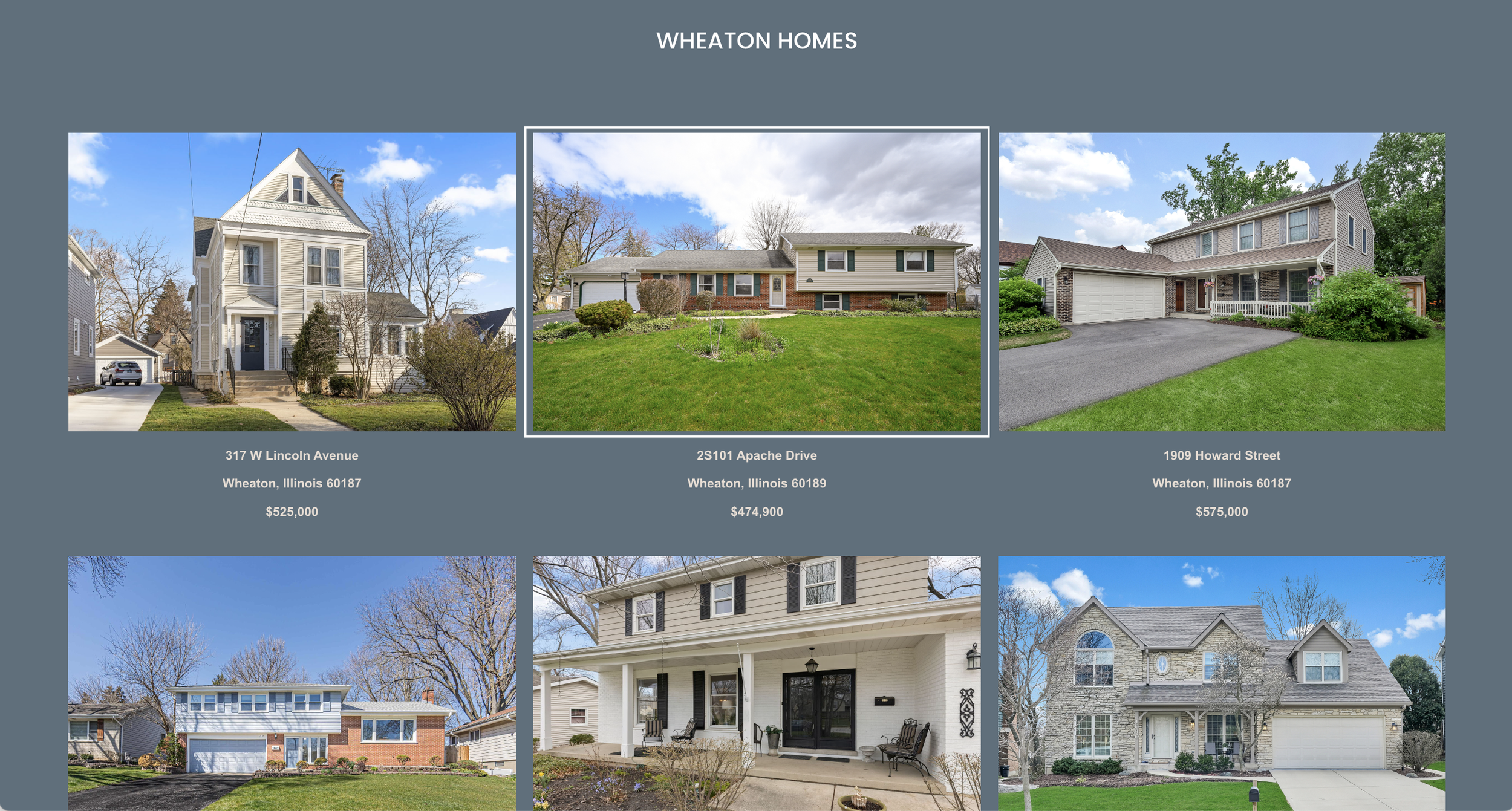
4. HomeTeam405
Designed by Club Creative

Choosing the right IDX plugin will transform your Squarespace website into a powerful real estate tool. Carefully consider your needs, budget, and the provider's reputation before making your decision.