
What’s worth knowing in the Squarespace world.
For designers, developers, and people building businesses around Squarespace.

21 Best Squarespace Photography Themes for in 2025
Has your Squarespace website been collecting dust? Ready for a relaunch? Now's the perfect time for a refresh! Squarespace 7.1's intuitive drag-and-drop editor makes design easier than ever, and a whole collection of new photography-focused templates to showcase your work. In this post, we'll uncover the best Squarespace photography templates (both from Squarespace itself and top template shops) to help you take your business to the next level.
1. Beaumont by Squarespace

Beaumont is a clean and minimalist template that puts your photography front and center. The homepage portfolio allows you to showcase your best work for easy browsing. The template also includes an about page and contact page keeping it really simple and easy to navigate. Remember you’re not limited to just this. You have access to all of Squarespace features, so if you wanted to include a blog or a shop to sell prints, you could. I’d recommend starting with Beaumont if you simply want to highlight your work without all the bells and whistles.
Price: Free with Squarespace
2. Ortiz by Squarespace

This template provides a clean layout with a strong focus on showcasing the photographer's work and philosophies. It also includes clear calls to action and a personal touch through the testimonial and 'About' section. The Gallery and About page expand on what you see on the homepage. It's a fantastic example of how photographers can present their brand professionally while still conveying a sense of personality. The balance of featured work, service descriptions, and the client testimonial is particularly well-executed.
Price: Free with Squarespace
3. Reseda by Squarespace
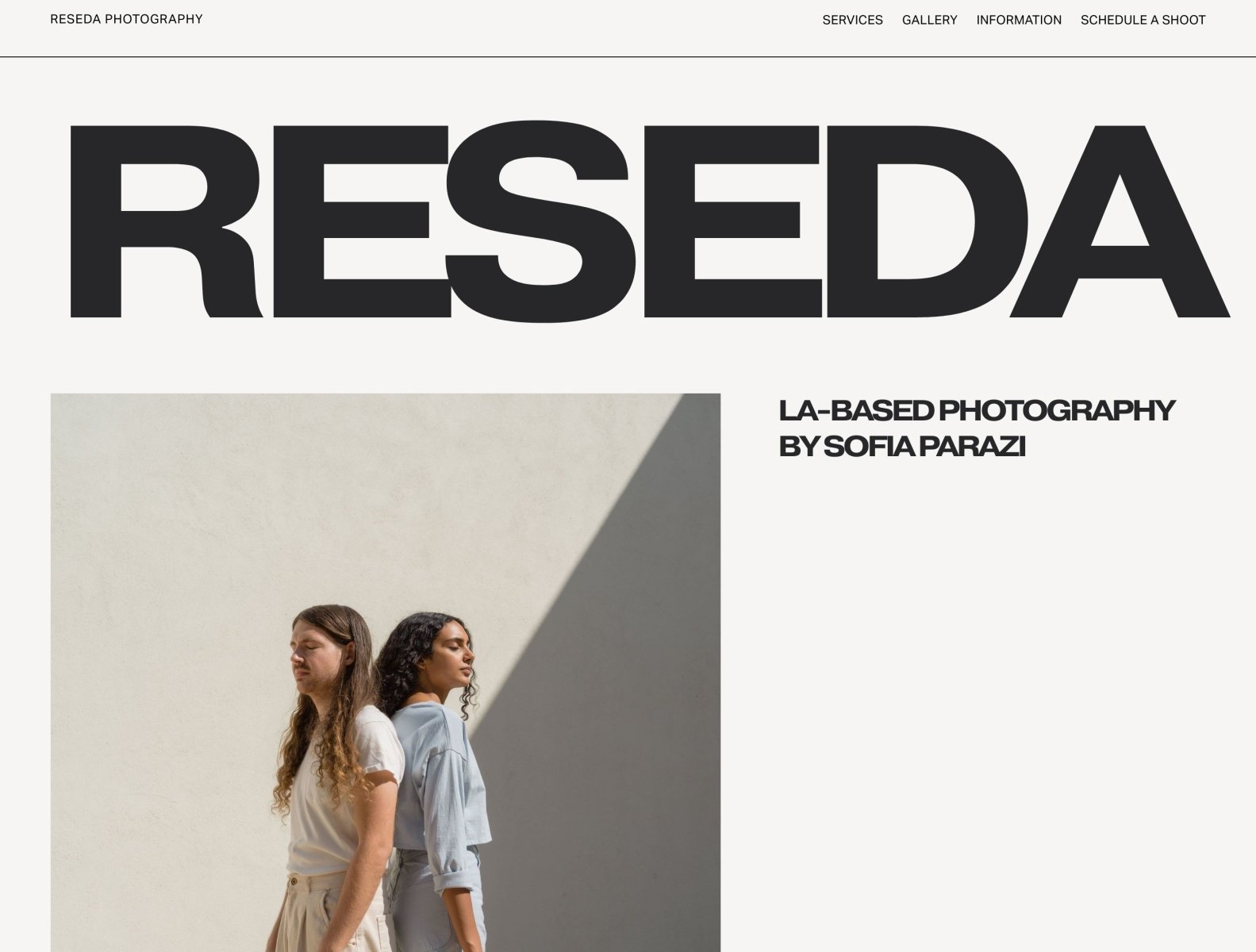
I recently used this template for a local photography studio rental business. It’s perfect for a photographer who is focused on using their website to book work. The homepage adopts a minimalist, image-driven design. A simple menu offers navigation to key sections: Services, Gallery, Information, and Schedule a Shoot. Sofia's artistic philosophy is articulated, emphasizing her use of light, shadow, and the metaphorical power of photography. The homepage showcases three featured collections each accompanied by a brief inspirational quote. Visitors are invited to subscribe for updates, and the footer provides social media links and a sitemap for easy navigation. Start with Reseda to elevate your online presense.
Price: Free with Squarespace
4. Nevins by Squarespace

Nevins is the perfect template for a landscape or nature photographer. The homepage features a portfolio grid and the template includes a blog and contact page to tell your stories and allow people to get in touch. Like Beaumont, Nevins is as minimal as it gets. If you want to keep it simple and straightforward while blogging your adventures, start with Nevins.
Price: Free with Squarespace
5. Tepito by Squarespace
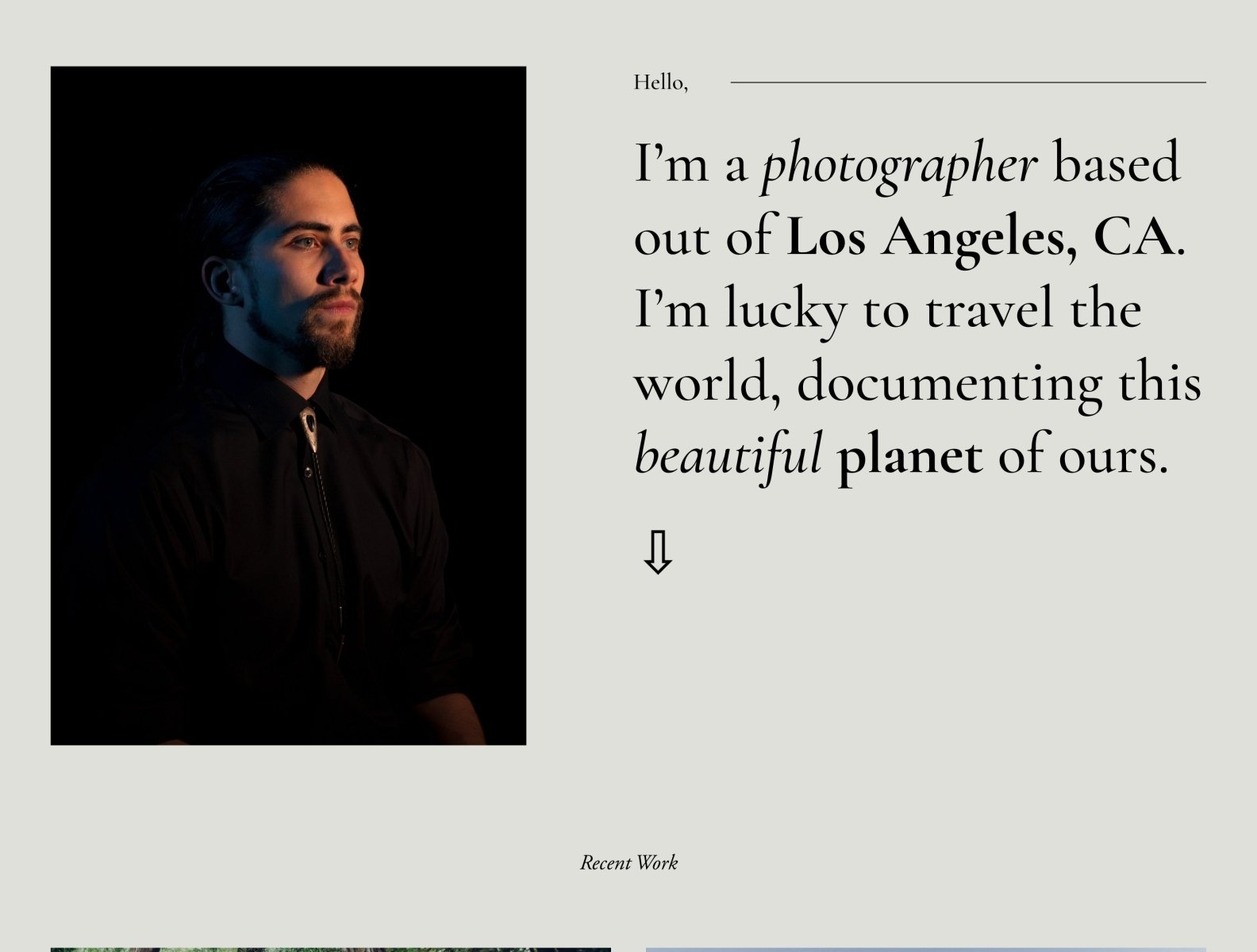
Tepito is perfect for the travel photographer who loves to document tell stories. The homepage is highly effective in immediately establishing your brand and photographic focus. The image-centric layout creates a powerful visual impact, showcasing the breathtaking beauty of the featured landscapes and the live location map offers a sense of dynamism and adventure. This template includes a newsletter signup block to let readers into the stuff that doesn’t make it on the blog.
Price: Free with Squarespace
6. Mycelium by Squarespace (Limited edition)



A couple years ago Squarespace partnered with BJÖRK as a part of their Icons series. This template features full bleed positioning giving an immersive feel along with overlapping text and images to create a layered effect.
Price: Free with Squarespace
7. ZION by Squarespace

This template features a full bleed gallery that changes on hover. The emphasis here is all on the portfolio.
Price: Free with Squarespace
8. Indie Studio by Applet Studio

This luxurious and modern template from Applet Studio is perfect for brand, wedding, and family photographers. It features muted colors, golden tones, and geometric accents, creating a refined and lush brand for your photography business. The template includes eight high-converting layouts and unique customizations for summary blocks, split sections, and galleries.
Price: $189
9. Noire by Big Cat Creative
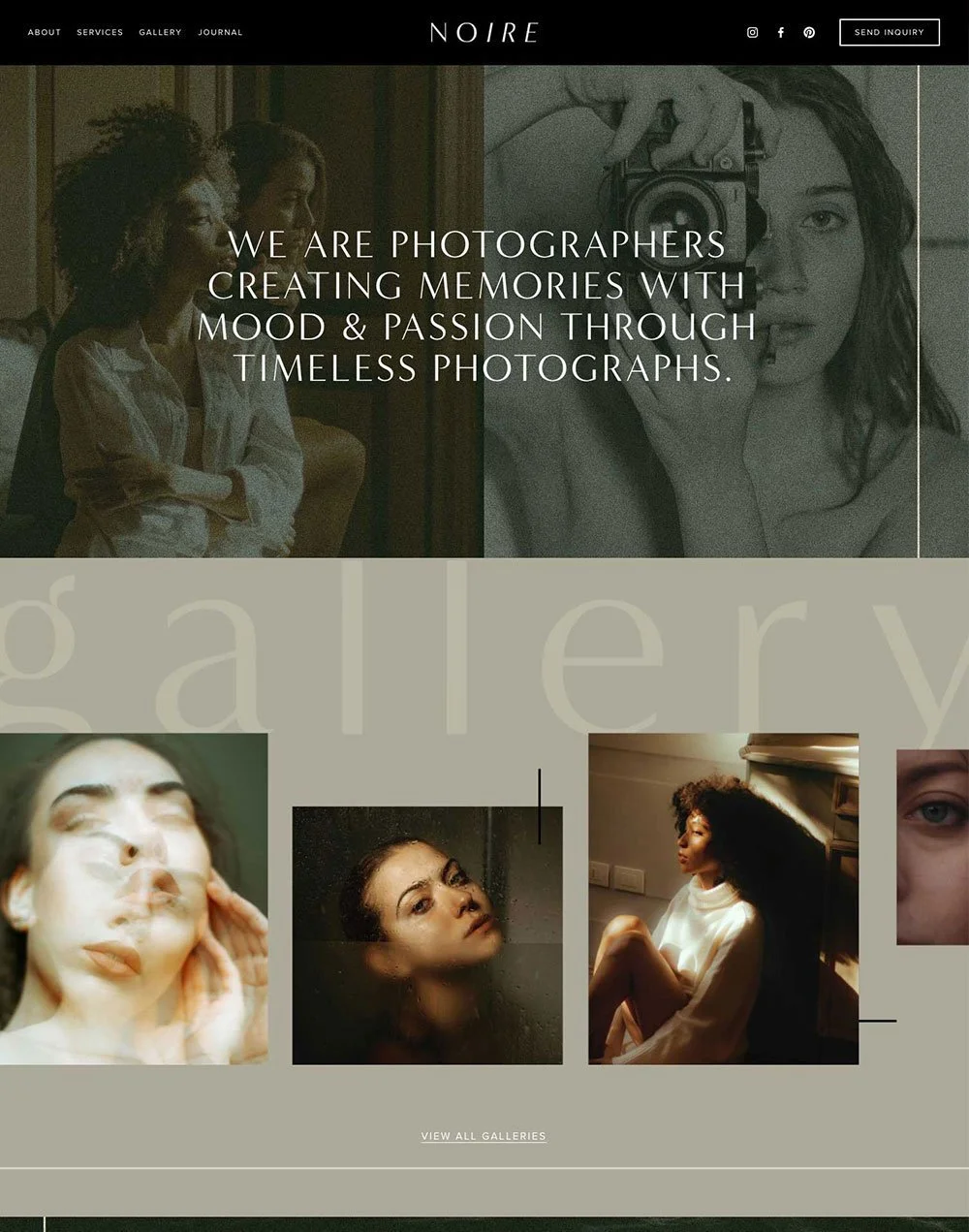
Noire by Big Cat Creative is a fierce and moody template for portrait and street photographers. This template showcases your artwork in a bold and captivating way. The template includes unique customizations for summary blocks, split sections, galleries, and image layouts.
Price: $297
10. Photography Portfolio by ilovecreatives

ilovecreatives made this template for photographers that want an editorial feel to their portfolio. Use this template to showcase your photos and to make them stand out.
Price: $199
11. Rebel Love by Square Genius

This design from The Square Genius specifically targets wedding photographers with its clean, minimalist aesthetic that mirrors the elegance and timelessness often associated with weddings. The template's focus on SEO helps photographers compete in a saturated niche, ensuring potential clients can easily find their site. By including dedicated sections for timelines, packages, and testimonials, Rebel Love demonstrates that it's designed to address the unique workflow needs of the wedding photography industry.
Price: $399
12. Parker by GoLive

Another excellent option is the Parker template from GoLive. Its high-end and editorial style makes it a great fit for photographers who specialize in luxury events, fashion-forward portraits, or styled product photography. The template's built-in blogging functionality allows photographers to share their creative process, attracting clients who appreciate a behind-the-scenes look. Parker also understands the importance of timely launches and easy use. With hassle-free installation and video tutorials included, it's ideal for photographers who want a sophisticated online presence without technical headaches.
Price: $299
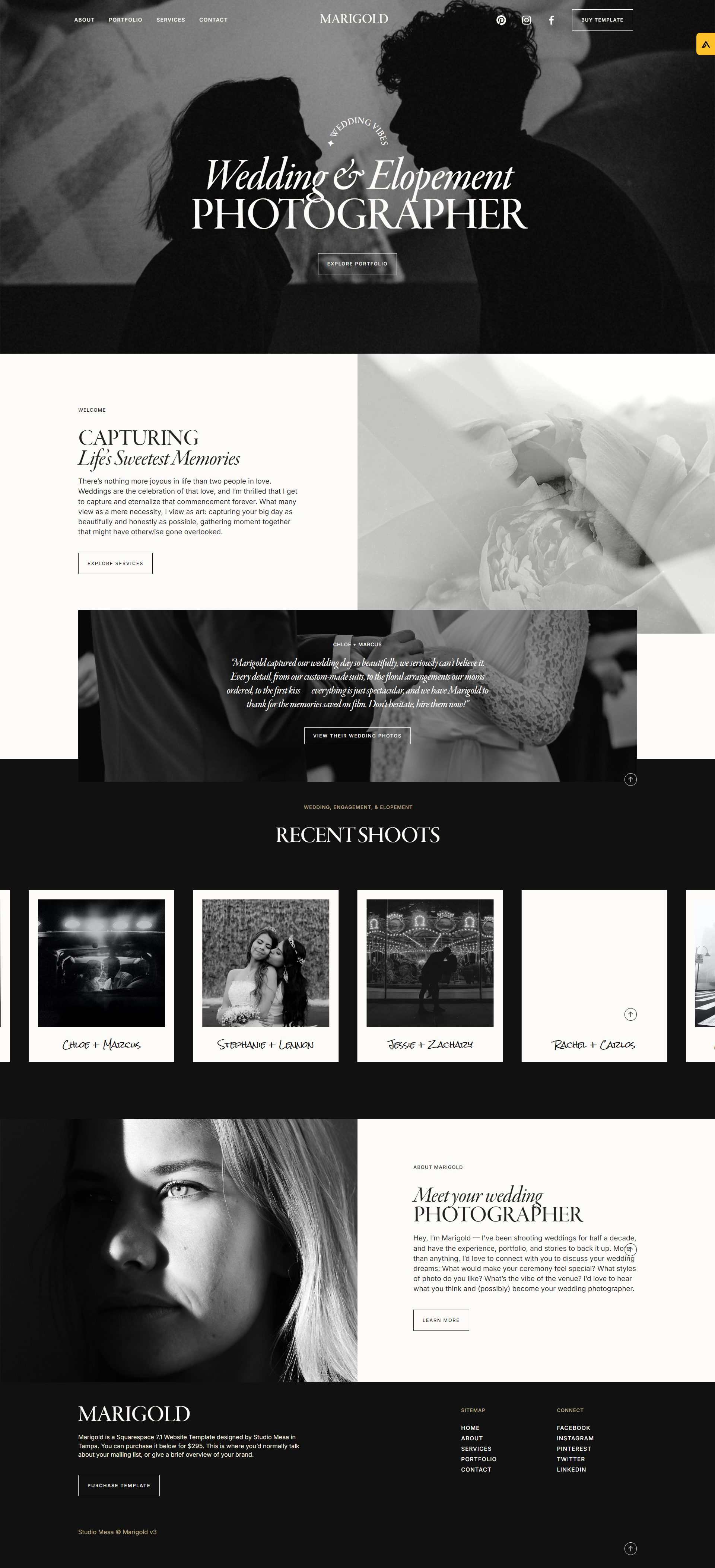
13. Marigold by Studio Mesa
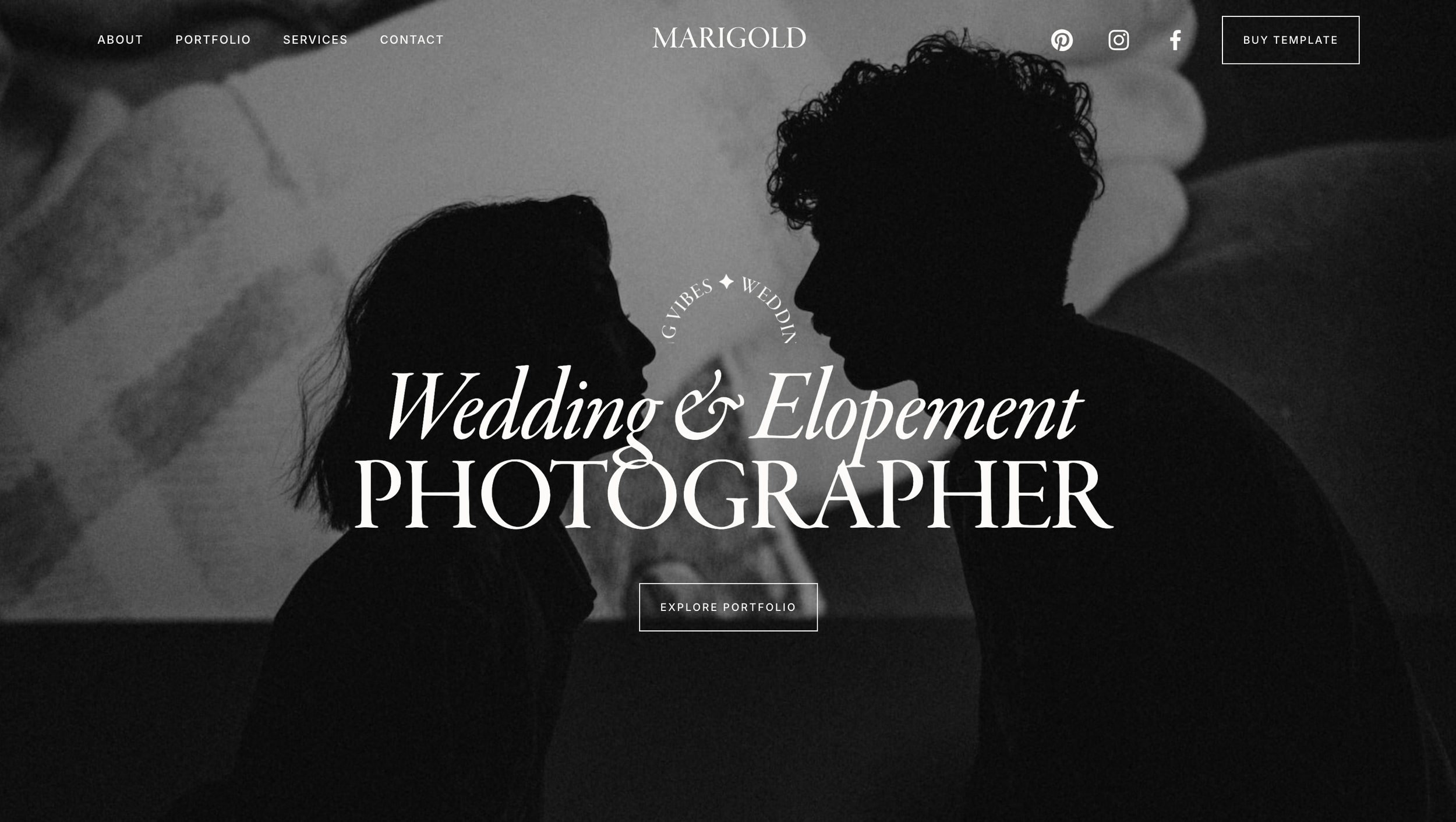
This design from Studio Mesa strikes a balance that many wedding photographers seek: sophisticated presentation with functionality for client information. Its clean typographic foundation ensures that contact information, packages, and FAQs are easily readable, which is crucial for busy couples planning their big day. While still emphasizing beautiful imagery, Marigold recognizes that visuals aren't the only factor in booking a wedding photographer. The subtle "sharp edges" mentioned in the description could appeal to photographers targeting high-end clients, signaling professionalism and attention to detail.
Price: $295
14. Milano by The Coast Kit

The Milano template by The Coast Kit exudes an undeniable edge. Its description promises a "sophisticated, street smart, and smokin' hot" experience, making it a perfect match for photographers with a fierce, trend-forward style. Photographers who specialize in fashion, urban portraiture, or editorial work would find the modern animations, GIFs, and video backgrounds a perfect way to infuse their site with dynamic energy. The template's focus on versatility is clear – it can elevate photographers, bloggers, and business owners. For those who want to offer exclusive content, the "members-only" area option could be a huge draw.
Price: Approx $220
15. Precious Moments by Websites by Elise

The Precious Moments template from Websites by Elise aims for a timeless and elegant aesthetic, which aligns perfectly with photographers whose work has a classic, enduring quality. Its suitability for both photographers and videographers showcases its versatility for those who offer a range of visual services. The description highlights the template's focus on helping creatives "gain new clients," signifying that it incorporates features beyond just beautiful image display.
Price: $297
16. The Romantic by Glo Design

The Romantic template from Glo Design promises a website that is both professional and authentic, a combination that many creatives crave. While a visually appealing portfolio is essential, service-based photographers also need a website that clearly communicates their offerings and resonates with their ideal clients. Its suitability for wedding professionals highlights the template's potential to blend beautiful imagery with practical website elements such as service descriptions and booking functionality.
Price: $249
17. Shelley by Big Cat Creative

This template from Big Cat Creative is for photographers seeking a minimalist yet impactful template. The custom elements add a touch of unique flair, allowing your images to truly shine. This could be an excellent fit for those specializing in fashion-forward portraiture, high-concept editorial work, or even product photography where a clean aesthetic is crucial.
Price: $497
18. 10FKT Portfolio Template by E2A Studio

This minimal and immersive template by Squarespace design studio e2a is perfect for a photography portfolio. There are some really unique elements on the with the footer nav and booking page. Definitely worth the premium price tag.
Price: $489
19. Pariss & Lilo by Golden Launch Creative

This template by Golden Launch Creative is perfect for photographers who want to showcase their work with a pristine and elegant aesthetic. There’s so many unique elements to this site. Including a sidebar nav and horizontal scroll galleries.
Price: $499
20. Hemlock by Station Seven

This template from Station Seven is perfect for family and lifestyle photographers. It’s warm and aesthetics with a down-to-earth feel provides an intuitive canvas to showcase your services and portfolio with elegance.
Price: $239
21. Elara by Studio Founded

Elara is a Squarespace 7.1 template that lets your visual voice lead. It’s the perfect place to showcase images or other expressive work with it’s sleek and sophisticated layouts, designed for photographers.
Price: $349
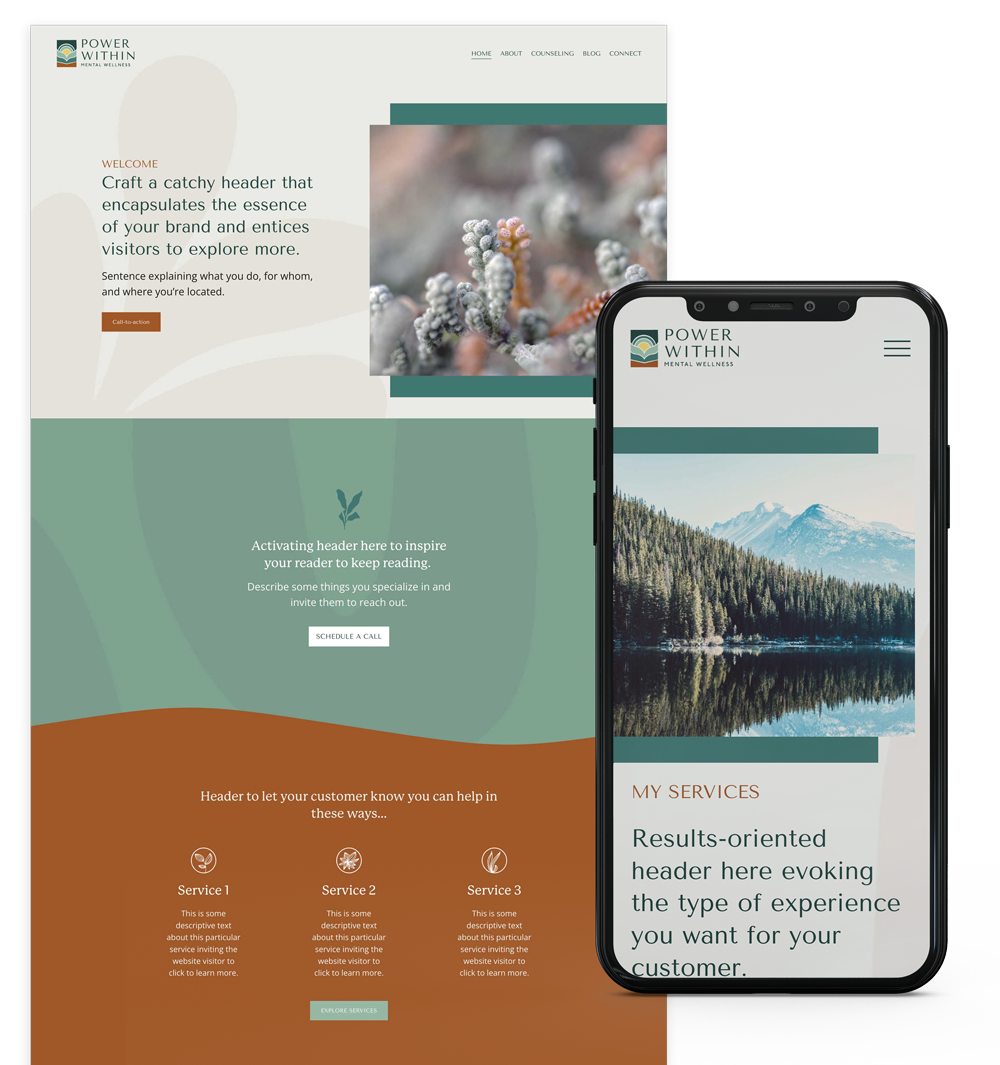
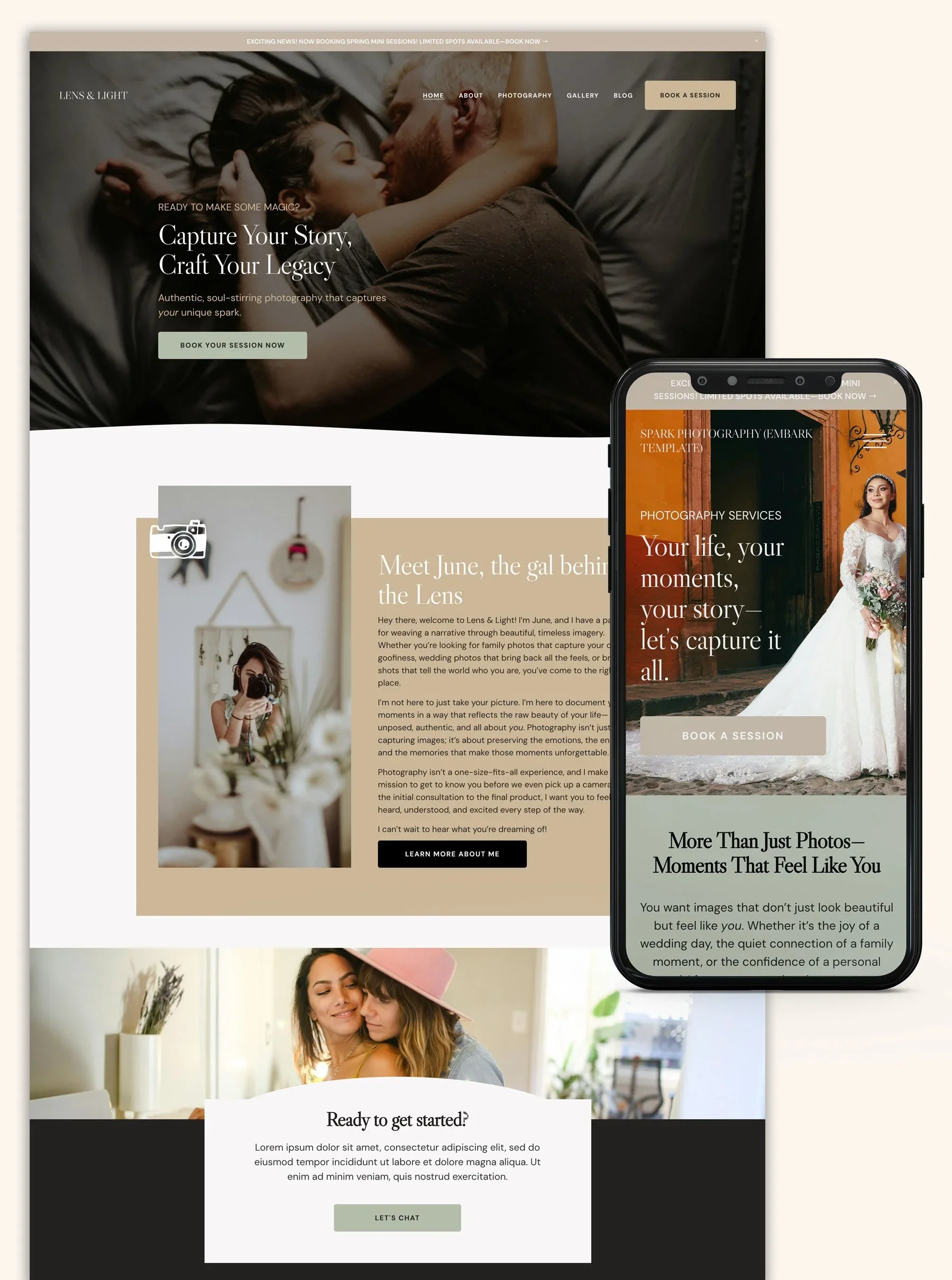
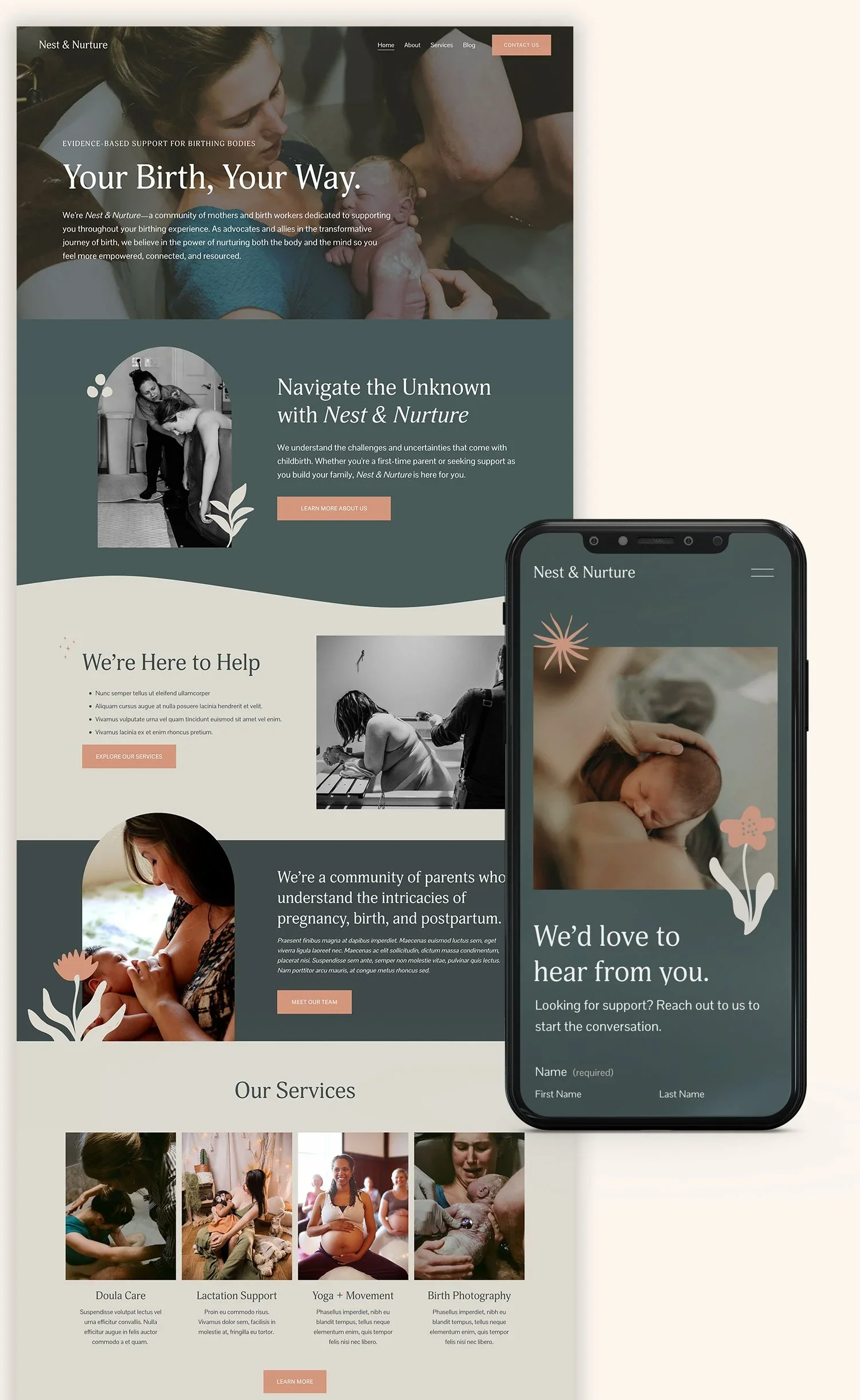
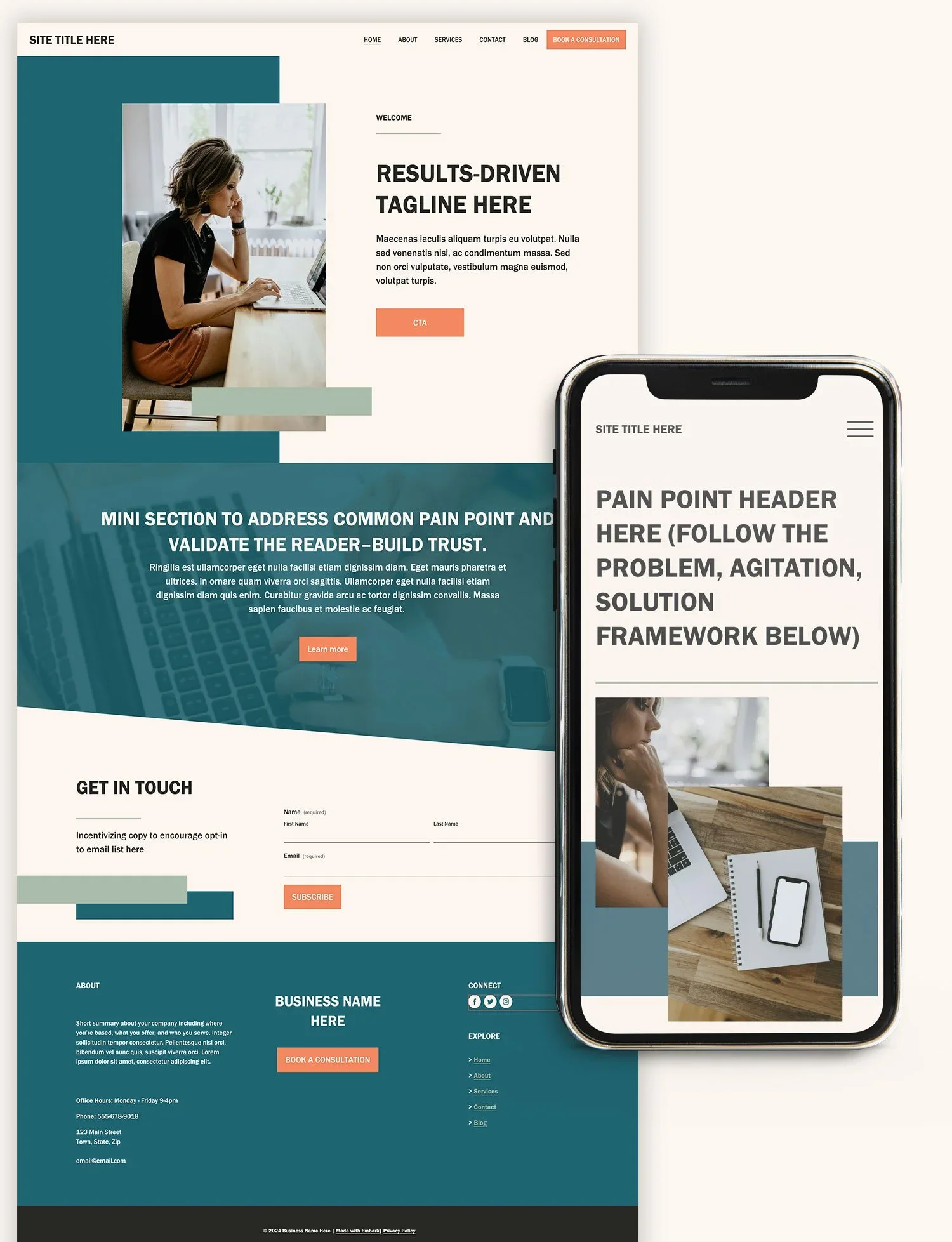
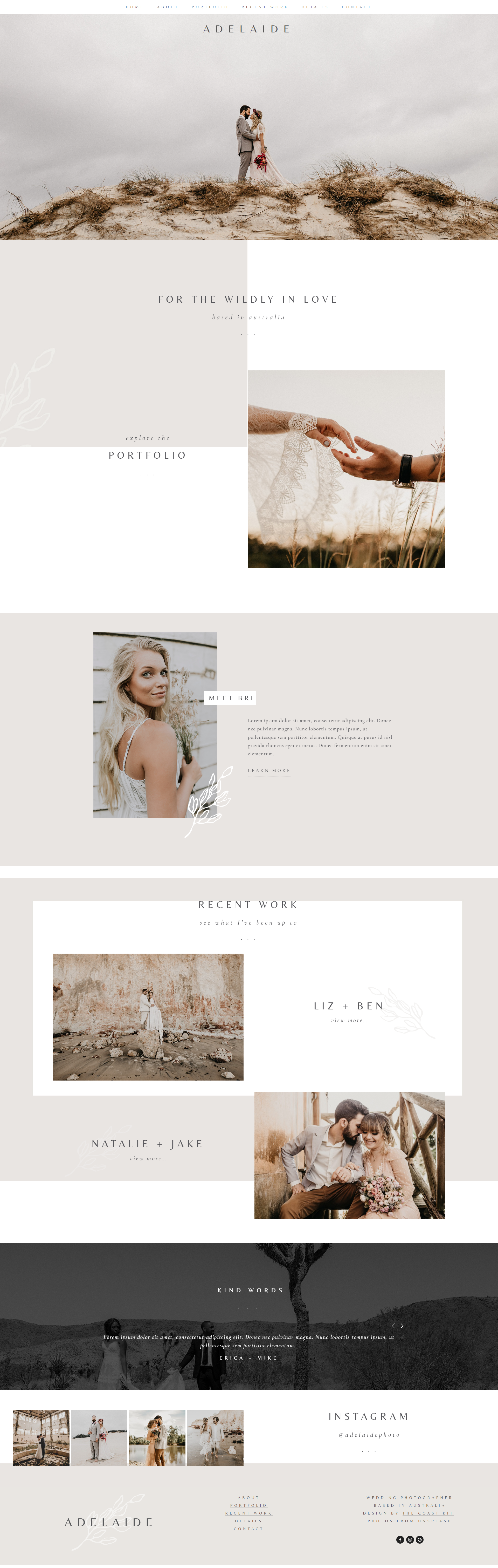
Looking for more templates for photographers?











FAQs About Squarespace Templates for Photographers
Q: Why should I buy a Squarespace template?
The benefit of premium Squarespace templates is they typically include many more more page templates, custom style tweaks and more.
Q: Which Squarespace template is best for photographers?
A: All of the Squarespace templates in photography category are best suited for photographers. The best Premium Templates for photographers can be found in our directory here.
Q: Can I customize a Squarespace template to match my existing branding?
A: Yes! All Squarespace templates allow you to adjust colors, fonts, and even some layout elements to align with your brand identity.
Q: Do I need to know how to code to use Squarespace templates?
A: While some basic HTML/CSS knowledge can be helpful for advanced tweaks, most premium templates are designed to be user-friendly for those without extensive coding experience.
Q: Can I switch Squarespace templates later if my style or business changes?
A: Yes, but “switching templates” in 7.1 is not entirely straightforward. Read more about changing templates here.
Q: Are Squarespace templates mobile-friendly?
A: Yes! Squarespace prioritizes mobile responsiveness, ensuring your portfolio looks great on any device.
Q: What if I don't see a template that perfectly matches my niche?
A: Start with a template that has the closest overall aesthetic, and then customize! Consider hiring a Squarespace expert for more in-depth modifications.

Saying Yes Without Losing Yourself
Balancing a Big Client Opportunity with Your Own Business
Alex squinted at their schedule for the day: a flurry of client projects, a creative brainstorm session, and a major call with Jordan—their oldest, most successful client. For months, Jordan’s business had been booming, with more branches, more products, and more overall complexity. Alex had already designed multiple websites and overseen key technical setups for Jordan’s expanding empire.
Now, Jordan wanted them to step in as a part-time “lead”—someone who could manage everything from day-to-day strategy to tech decisions and creative direction. If Alex said yes, it meant steady income and deeper creative control. But it also meant far less room for Alex’s own business goals, like launching new services or scaling up their brand presence.
They remembered a piece of advice from their coach:
“Before you commit to going ‘all in’ with a single client, get crystal clear on what you’re giving—and what you stand to lose.”
Jordan’s offer was tempting. Who wouldn’t want to be an integral part of a fast-growing venture? The chance to experiment with high-level strategy, new tools, and advanced marketing funnels was like a playground for Alex’s skills. Plus, Jordan’s team had always been pleasant to work with—no small perk in the freelance world.
Yet, Alex had plans: a new digital product in the works, an upcoming rebrand for their consulting packages, and a desire to keep a flexible schedule for other clients. They worried that devoting two or three full days per week to Jordan would drain both time and creative energy from their own ventures.
5 Key Questions to Ask Before Committing
Scope
“What exactly do you need from me?”
Are you expected to spearhead every new initiative, or focus on a specific part of the business? Clarifying scope up front prevents unexpected demands later.
Compensation
“How will I be paid—and is it in line with my usual rates?”
Sometimes, clients assume a “bulk discount” in exchange for steady work. Make sure you’re not undervaluing yourself if you’re essentially acting as a fractional lead or department head.
Time Horizon
“Is this a 3-month experiment or a year-long commitment?”
Having a clear timeline helps you plan around other clients, personal projects, and any new offers you intend to roll out.
Alignment with Personal Goals
“Will this role boost my own brand and expertise—or stunt my growth?”
Consider whether the projects under Jordan can become case studies or help you refine processes you can later productize for other clients.
Monthly Check-Ins
“How will we evaluate if this arrangement is still working?”
Setting a monthly review (with both your client and yourself) lets you course-correct if scope creeps or you realize you’re neglecting your own business goals.
The Power of a Quick Monthly Reflection
At the end of each month, Alex blocks off a few hours to go over wins, setbacks, and upcoming opportunities. They track not just income, but also energy levels—noting which projects felt fulfilling and which were draining. During these reflection blocks, Alex often surfaces small signs of scope creep or starts brainstorming ways to productize what they’ve learned.
For instance, if Jordan’s new membership site required unique integrations, Alex might decide to document the entire setup process, turning it into a mini-guide or checklist that they can later sell or include in premium service packages.
Coach’s Corner: If you’re pouring a ton of effort into a single client’s project, record your process. By turning your hard-won experience into templates or frameworks, you can create entirely new revenue streams down the line.
Making the Decision
On their call, Alex laid it all out:
They clarified which tasks they could realistically handle under a part-time arrangement.
They explained that this level of commitment would require a retainer that made sense financially, given their expertise and the business’s demanding growth.
They also proposed a 3-month check-in to assess whether both parties were still happy with the terms.
Jordan agreed—enthusiastically, in fact. They wanted Alex on board, but they also respected Alex’s bigger ambitions. The result? A win-win. Alex got a high-level role that paid well and expanded their skill set; Jordan locked in a trusted partner who could keep pace with the business’s rapid expansion.
Yes, Without Losing Yourself
Freelancers sometimes jump at the promise of steady work, only to realize they’ve unintentionally signed away their flexibility. By asking the right questions and scheduling routine reflections, you can confidently say “yes” to bigger client engagements—without losing sight of your own goals.
After all, growing with a major client can be an incredible opportunity, but the key is making sure it’s growth for you, too—not just for them.
Ready to Dive Deeper With a Client?
Thinking about a part-time lead or fractional role for your biggest account? Ask yourself the five questions above and set up a monthly review process. That way, you won’t just be offering your skills—you’ll also be evolving your business, refining your expertise, and setting yourself up for success in the long run.

6 Best Squarespace Form Plugins
Squarespace offers a decent built-in form builder, but sometimes you need more advanced features and functionality to collect essential data. That's where powerful form plugins come in. Here's our curated list of top-notch Squarespace form plugins to help you gather valuable information and streamline your workflow:
1. SquareWebsites Form Uploader
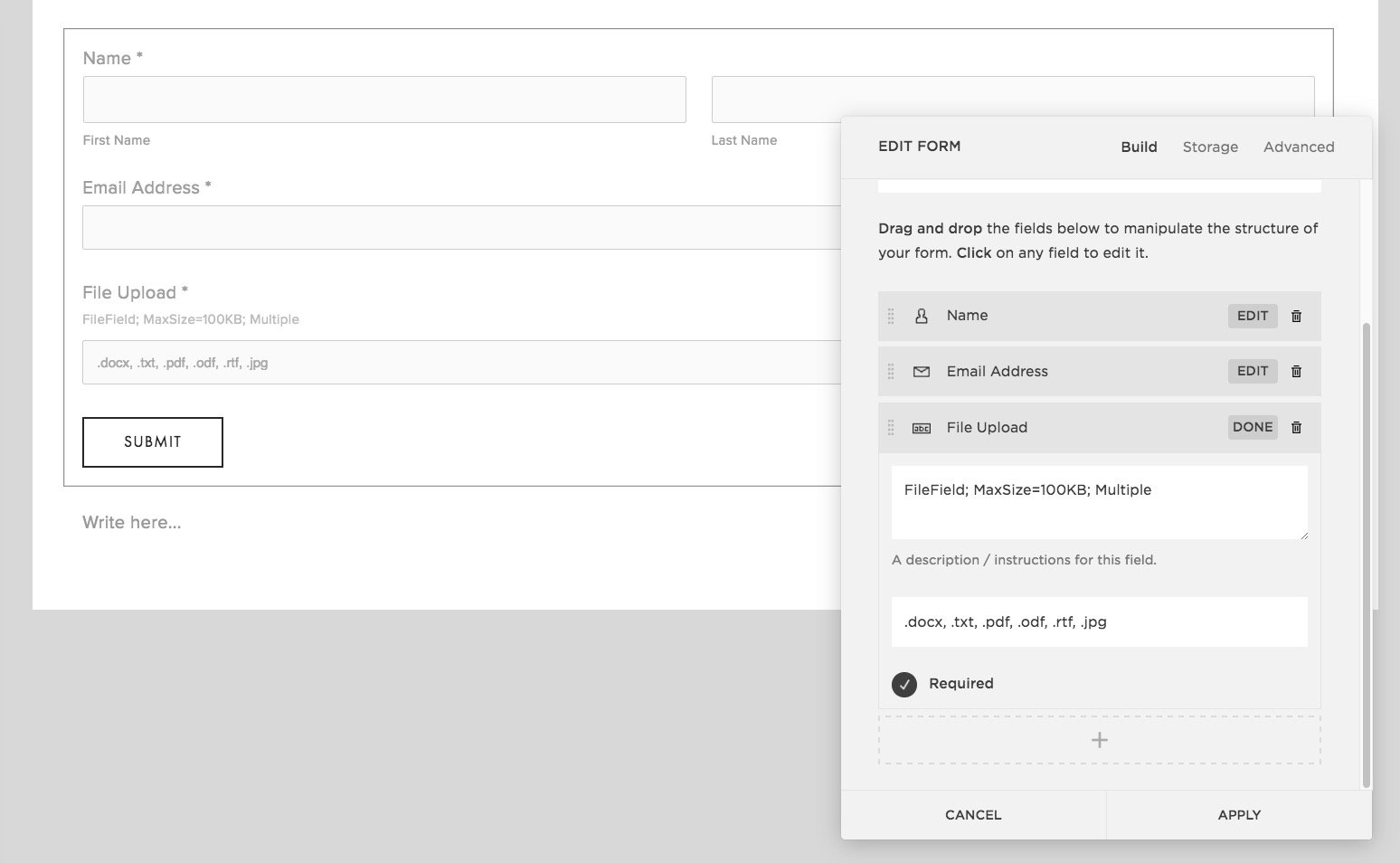
Unique Feature: Easy file uploads (images, PDFs, documents, etc.) directly within your Squarespace forms.
(this is is now native)
Ideal For: Businesses needing user file submissions (job applications, creative portfolios, feedback forms, etc.).
Benefits:
Free for small-scale use.
Integrates seamlessly with Squarespace forms.
Secure file storage.
Cons:
30-day file storage limit on the free plan.
Requires some technical setup.
2. Formstack

Unique Feature: Extensive features and integrations for robust form building.
Ideal for: Enterprises or businesses with complex form requirements (payments, e-signatures, in-depth analytics, etc.).
Benefits:
200+ integrations (CRM systems, payment gateways, email marketing tools).
Advanced features like partial submissions, form analytics.
Mobile-friendly and easy to embed on various platforms.
Cons:
Can be more expensive than other options.
3. Paperform

Unique Feature: Beautiful and intuitive form design.
Ideal For: Businesses focused on enhancing a seamless user experience.
Benefits:
500+ designer-made form templates.
Wide range of form fields and customization options.
Easy integration with Squarespace via Zapier.
Cons:
Might lack some advanced features found in Formstack.
4. Common Ninja Contact Form

Unique Feature: Extensive customization and user-friendly interface.
Ideal for: Users seeking flexibility and ease of use.
Benefits:
Variety of built-in form fields.
Pre-made skins for quick styling.
Spam protection with CAPTCHA.
Responsive design for all devices.
CSV export and email notifications.
Cons:
Might not offer as many integrations as Formstack.
5. Elfsight Form Builder

Unique Features: Versatile tool for creating various forms, including sign-up, multi-step, registration and survey forms.
Ideal For: Businesses seeking a wide range of form elements and customization options.
Benefits: Responsive design, pre-built components, collects feedback, ratings, and purchases.
Cons: May require exploring additional integrations for specialized functionality.
6. Soundfocus Digital Product Enquiry Form

Unique Feature: Replaces the "Add to Cart" with "Enquire" for custom orders or products with complex pricing.
Ideal For: Businesses selling made-to-order products, products with high-shipping costs, or those with negotiated prices.
Benefits: Customizable forms, seamless product data integration, triggers Squarespace events for Zapier compatibility.
Cons: Best suited for specific use cases, not a general-purpose form builder.
Factors to Consider When Choosing
Features: Does the plugin offer essential features like file uploads, conditional logic, or integrations with other tools?
Ease of Use: Can you easily create and customize forms without extensive coding?
Pricing: Is the plugin cost-effective for your needs? Consider free trials and plans that scale with your usage.
Tips for Effective Squarespace Forms
Keep Forms Short: Only ask for essential information to boost completion rates.
Clear Labeling: Use clear and concise labels for your form fields.
Mobile Optimization: Ensure your forms look great on all devices.
Test Regularly: Double-check your forms for errors after any update or change.
Beyond the Basics
If you need even more specialized form functionality, consider exploring niche plugins that cater to specific needs like surveys, bookings, or event registration.
We hope this guide helps you find the perfect Squarespace form plugin to enhance your website and gather the data you need to grow your business!
147