
What’s worth knowing in the Squarespace world.
For designers, developers, and people building businesses around Squarespace.
Which Squarespace Theme is best for artists?
Squarespace is a popular website building platform that offers a wide range of customizable templates, making it easy for artists to create a professional and visually appealing website without the need for any coding knowledge. As an artist, having a well-designed website is crucial for showcasing your work, attracting potential clients, and building your online presence. In this comprehensive guide, we will explore some of the best Squarespace templates specifically tailored for artists, along with the various features they offer.
How to Choose the Right Template
Before diving into the various template options, it's important to consider the type of artist you are and the features you need for your website. Are you a painter looking for a simple portfolio, or are you a musician who needs an online store to sell merchandise and music? By understanding your specific needs, you will be better equipped to choose the right template.
Some factors to consider when choosing a template include:
1. Layout and design: The template should have a visually appealing layout that complements your artwork and allows for easy navigation.
2. Customization options: Look for templates that offer a wide range of customization options, such as color schemes, fonts, and layout styles, to ensure your website is unique and tailored to your brand.
3. E-commerce capabilities: If you plan to sell your artwork or products, choose a template with built-in e-commerce functionality.
4. Responsiveness: Make sure the template is mobile-responsive, ensuring that it looks great on all devices.
5. Integration with social media: Choose a template that allows you to easily connect your social media accounts and showcase your latest updates.
Top Squarespace Templates for Artists
1. Bergen

Bergen is a clean and minimal portfolio template that's perfect for visual artists who want to showcase their work. It features a grid layout with large images and a customizable navigation menu. Bergen also comes with an integrated e-commerce functionality, making it easy to sell your artwork.
2. Wells

Wells is a classic template that's ideal for painters and photographers. It features a simple grid layout with image thumbnails that link to individual project pages. The template allows for easy navigation between different galleries and offers customization options such as color schemes and fonts.
3. Novo

Novo is a modern and stylish template that's perfect for graphic designers and illustrators. Its grid-style layout showcases your artwork in an organized and visually appealing way. The template also offers a range of customization options, including color schemes and fonts.
4. Nolan

Nolan is a versatile template that's great for web designers, photographers, and other creatives. It features a clean and organized layout with customizable project pages, allowing you to showcase your work in a professional manner. Nolan also offers e-commerce functionality, making it easy to sell digital products or services.
5. Sundew

Sundew is a unique and colorful template designed specifically for podcasters and musicians. It features a bold design with full-width images, audio players, and customizable episode pages. The template also integrates with various streaming platforms, such as Spotify and Apple Podcasts, making it easy to share your content with your audience.
6. Kitui

Kitui is a sleek and modern template that's perfect for musicians and bands. It features a full-width header image, customizable album pages, and an integrated e-commerce store for selling merchandise and music. The template also includes a built-in tour schedule and social media integration.
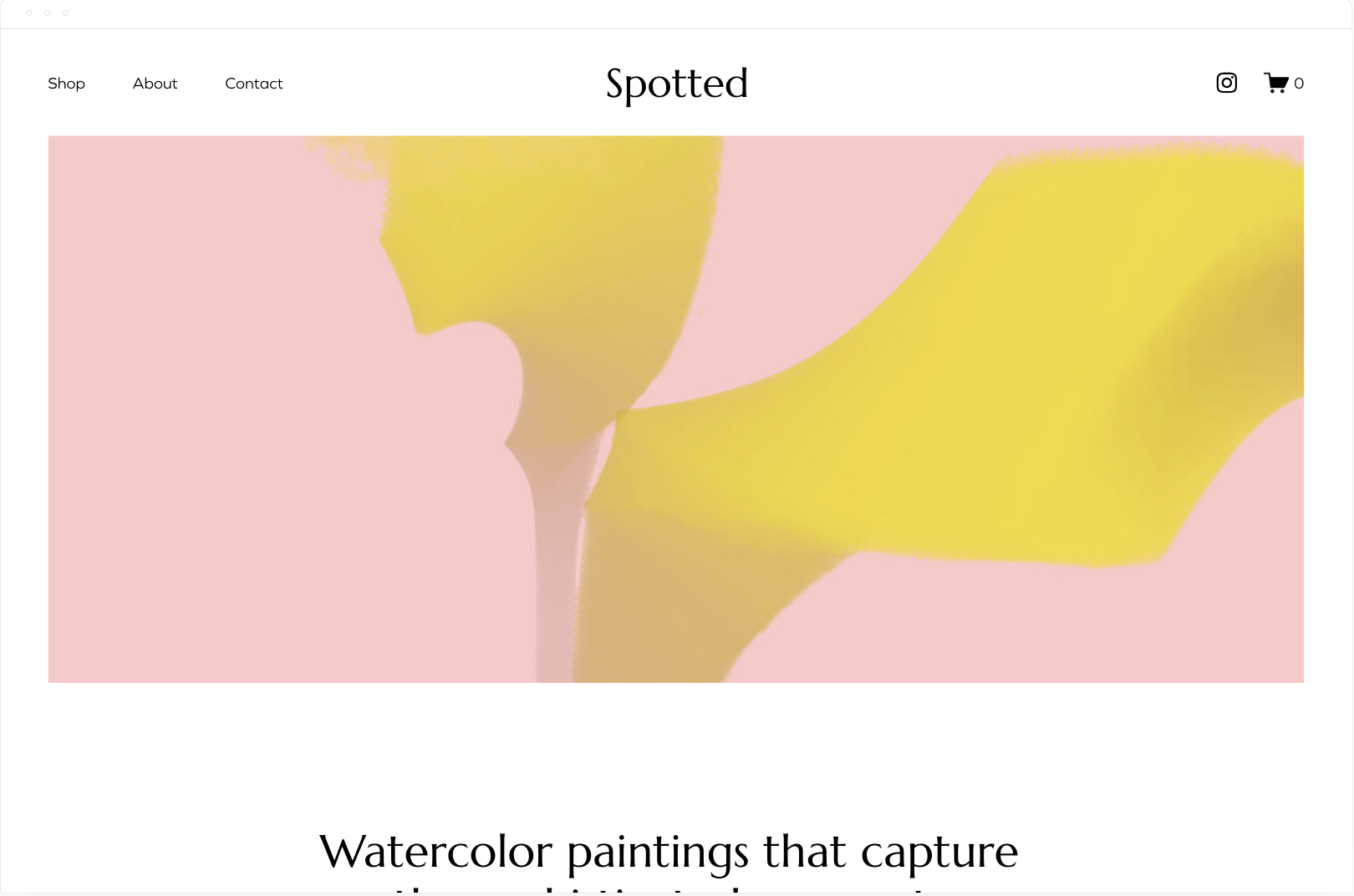
7. Spotted

Spotted is a visually stunning template that's ideal for artists looking to sell their work. It features large, eye-catching images and a clean, minimal layout. The template also includes a built-in e-commerce store, making it easy to sell prints and original artwork.
8. Passero

Passero is a versatile and informative template that's perfect for artists who want to offer virtual art classes or workshops. It features a clean and organized layout with customizable course pages, a built-in e-commerce store, and a members-only area for hosting exclusive content.
In summary, Squarespace offers a variety of templates that cater to artists across different disciplines. By carefully considering your specific needs and preferences, you can choose the perfect template to showcase your work and build a strong online presence. The templates mentioned in this guide are just a few examples of the many options available on Squarespace, ensuring that you can find the perfect fit for your artistic brand.

How to Moov with Perseverance and Innovation
This month is our 8th year business anniversary and we're celebrating with a series called Into the SQSP Metaverse: 33 Portals Through Web Design And Entrepreneurship. This is Portal #4
“Always be doing something. Never just sit back and hope one day that your email inbox is going to blow up because that’s not how it’s going to work.”

Cody's story began five years ago when he needed a website built for a music project. After being scammed out of his money by a supposed designer, Cody decided to take matters into his own hands. He tried various website builders, and eventually found Squarespace. Despite having no prior experience, he found enjoyment in building the website and decided to learn more about web design.
As he honed his skills, Cody realized that there was a gap in the market for affordable web design services catering to small businesses and solo designers. This led to the creation of Move Labs, a company that builds websites for free and only charges a monthly membership fee for ongoing management and updates.
Cody's perseverance and entrepreneurial spirit also gave birth to Ghost Plugins, a platform that offers free Squarespace plugins and templates. Soon, they will be launching Ghost Plus, a subscription service providing unlimited templates for a flat monthly rate. This service aims to help small teams and solo designers save time and money.
Throughout his journey, Cody has learned valuable lessons that he shares with fellow Squarespace entrepreneurs:
1. Be patient: Success doesn't happen overnight. It takes time to learn, grow, and build a sustainable business. Cody advises against expecting instant results and instead focusing on honing your craft and being persistent.
2. Hustle and take action: Don't just sit and wait for clients to come to you. Reach out to potential customers, network with like-minded individuals, and always be doing something to grow your business.
Cody's story is a testament to the power of perseverance and the importance of continually learning and growing. His innovative approach to web design services has not only helped him build a successful business but has also provided valuable resources for other Squarespace entrepreneurs. By following Cody's advice and embracing patience, hustle, and constant growth, fellow designers can find success in the Squarespace metaverse.
Listen to his story here.

How to Generate Custom CSS for Squarespace using ChatGPT
I received a question from one of our customers today about how to make image caption titles appear on hover. I thought this would be a good case study for using ChatGPT to generate CSS on a Squarespace site. Let's dig in.
First, we need to inspect the element. I will isolate the image, and it seems that each of these divs applies to a different image. I will click "Edit as HTML," copy the entire HTML, and paste it here. Now, in my prompt, I will ask ChatGPT to write CSS to make the caption title appear on hover.
To make the caption title appear on hover, we can use CSS. Here's an example of how to achieve this. Let's test it and see if it works. It seems that the image slide title is currently below the image. How can we make it overlay the image? This code might help us achieve that. Let's copy the code and give it a try.
I will paste this in my custom CSS. As you can see, the image title now appears on hover. Let's save that. We might want to change the color of the text and adjust the spacing. To change the font color and size, we can use the following customizations. I will copy that piece and paste it within what we already have here, then hit save.
Now the color is white, and the font size is 20. If we want to make it 30, we can adjust the code accordingly. However, let's bring it back to 20, as that seems good enough.
So, there you have it. This is how you can generate custom CSS for your Squarespace site using ChatGPT. It's quite simple. First, copy your HTML and give a specific command. If the initial command isn't specific enough, go back and provide more clarity. If you have any questions about this process, feel free to leave them in the comments, and I'll be happy to answer them. Peace.
Here’s another example…
You can find the code here.