Sponsored by SQSMODS
At what point do you consider a website finished?
Is it when the client approves the design? When the domain is connected? When you've worked through your launch checklist?
As your web design business grows and you start bringing other people into the process, this becomes an increasingly important question.
You need a standard for what constitutes a finished website, regardless of who built it.
Last week, I tested a tool from SQSMODS called Health Scan that I think could help with that.
It's a Chrome extension built specifically for Squarespace that runs nearly 100 quality control checks on a website.
Here's how I'd incorporate it into a client project.
1. Run a scan before launch
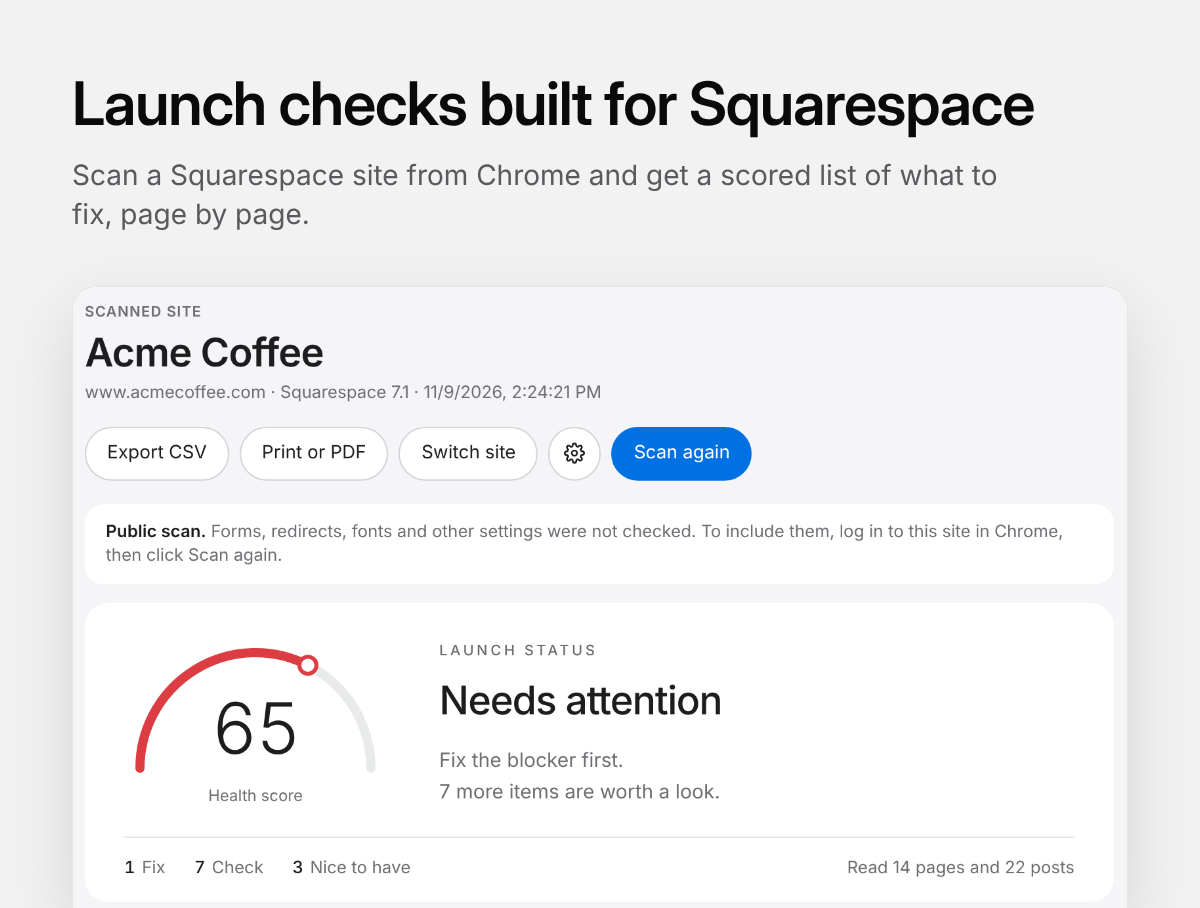
Once the design and content are in place, open the website in Chrome and run Health Scan.
You'll get an overall health score and a breakdown of issues that need your attention.
The findings are organized into three categories:
Fix before launch
Check
Nice to have
This helps you determine what's actually holding up the launch and what can be addressed later.
2. Check the things that are easy to overlook
Say you've built a 20-page website. How many individual buttons, links and images are there across those pages?
You could review each one manually.
Health Scan can tell you which buttons don't have a destination, what they're labeled and which pages they're on. It even gives you a shortcut to open those pages in Squarespace.
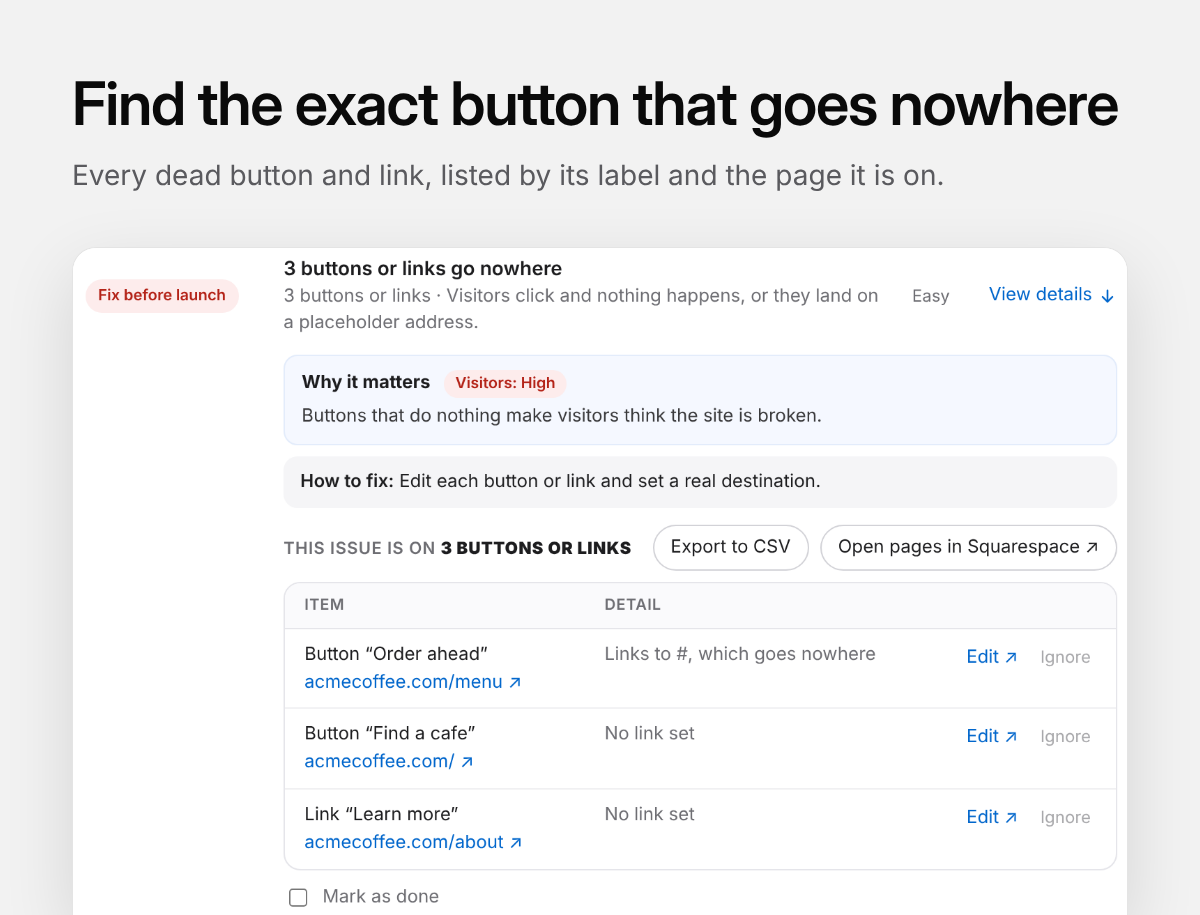
Three buttons and links with missing destinations.
Other things worth checking include:
Missing SEO descriptions.
Images without alt text.
Leftover template content.
Missing social sharing images.
Links to deleted pages or sections.
Duplicate analytics scripts.
One thing I find particularly interesting is its ability to identify potentially fragile custom CSS.
If you've used CSS that targets a particular block or section ID, that code may stop working when someone rebuilds the section or duplicates the website.
That's the kind of thing a client could inadvertently break months after you've completed their project.
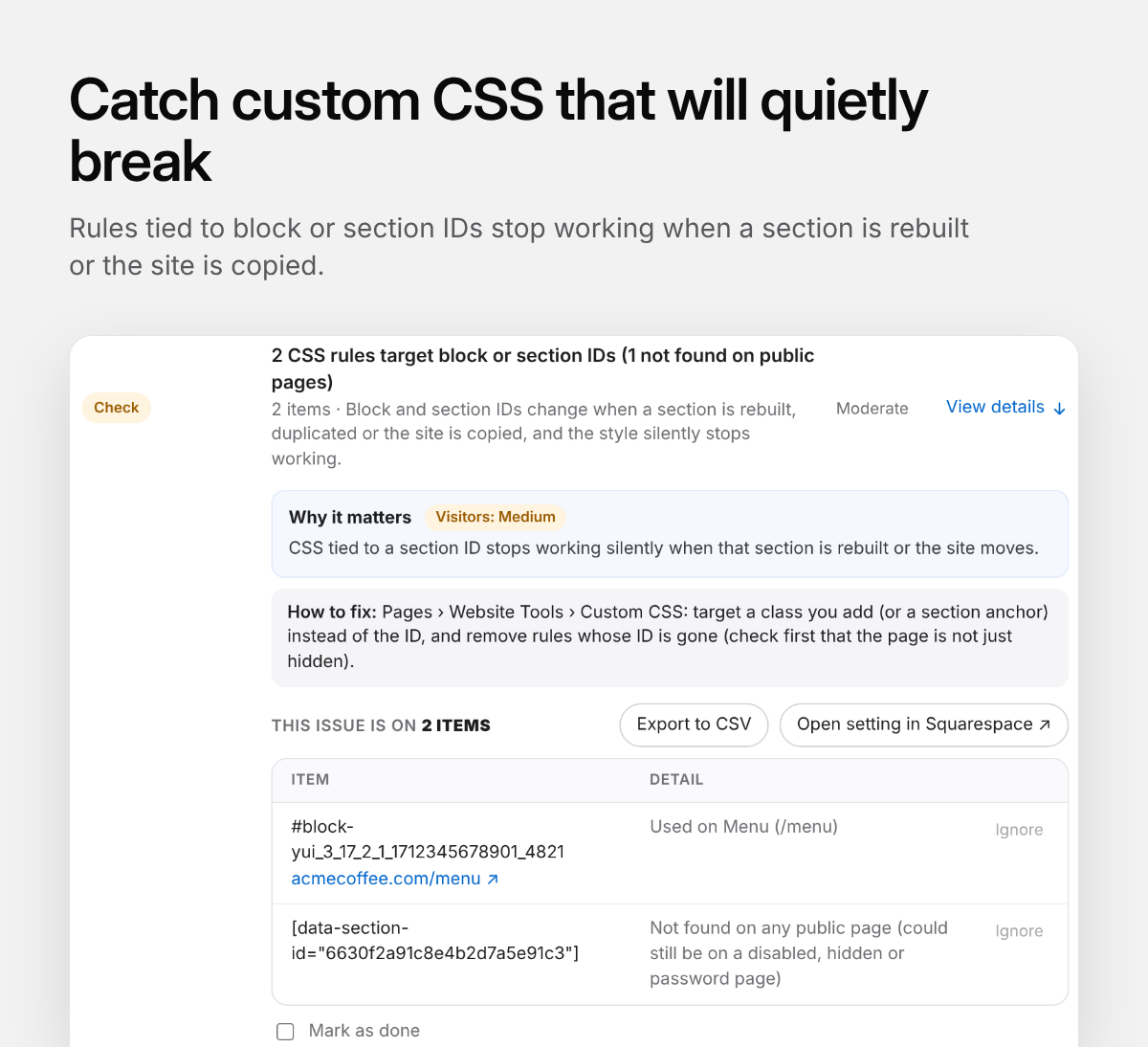
Health Scan identifying CSS rules tied to block and section IDs.
3. Run the scan while logged into Squarespace
This was my favorite part of Health Scan when I tried it.
When you're logged into the Squarespace editor, the extension can go beyond what's publicly visible and check settings within the website.
For example:
Where are the contact form submissions being sent?
Are there any problems with your URL mappings?
Who has access to the website?
Are there scripts or settings that need attention before launch?
Imagine launching a website and discovering two weeks later that all the client's enquiries have been going to your email address.
These are the sorts of mistakes an additional quality control check can help prevent.
4. Verify your work
Once you've reviewed the findings and made your corrections, run another scan.
Health Scan can track the changes between scans so you can see what's been addressed and what still needs attention.
I wouldn't use the health score as the sole measure of whether a website is ready, though.
There are still things you'll want to test yourself:
The mobile experience on an actual phone.
Whether submitting a form results in the expected email.
Whether the checkout or booking process works.
Whether important content is accurate and up to date.
Whether the website meets the requirements you agreed on with your client.
Health Scan can take care of a substantial portion of the technical checks, giving you more time to focus on the experience.
5. Include a report in your client handover
If you're on the Agency plan, you can generate branded reports with your own company name and logo.
I particularly like the Work Completed report. It shows the difference between two scans, including what was fixed and what remains outstanding.
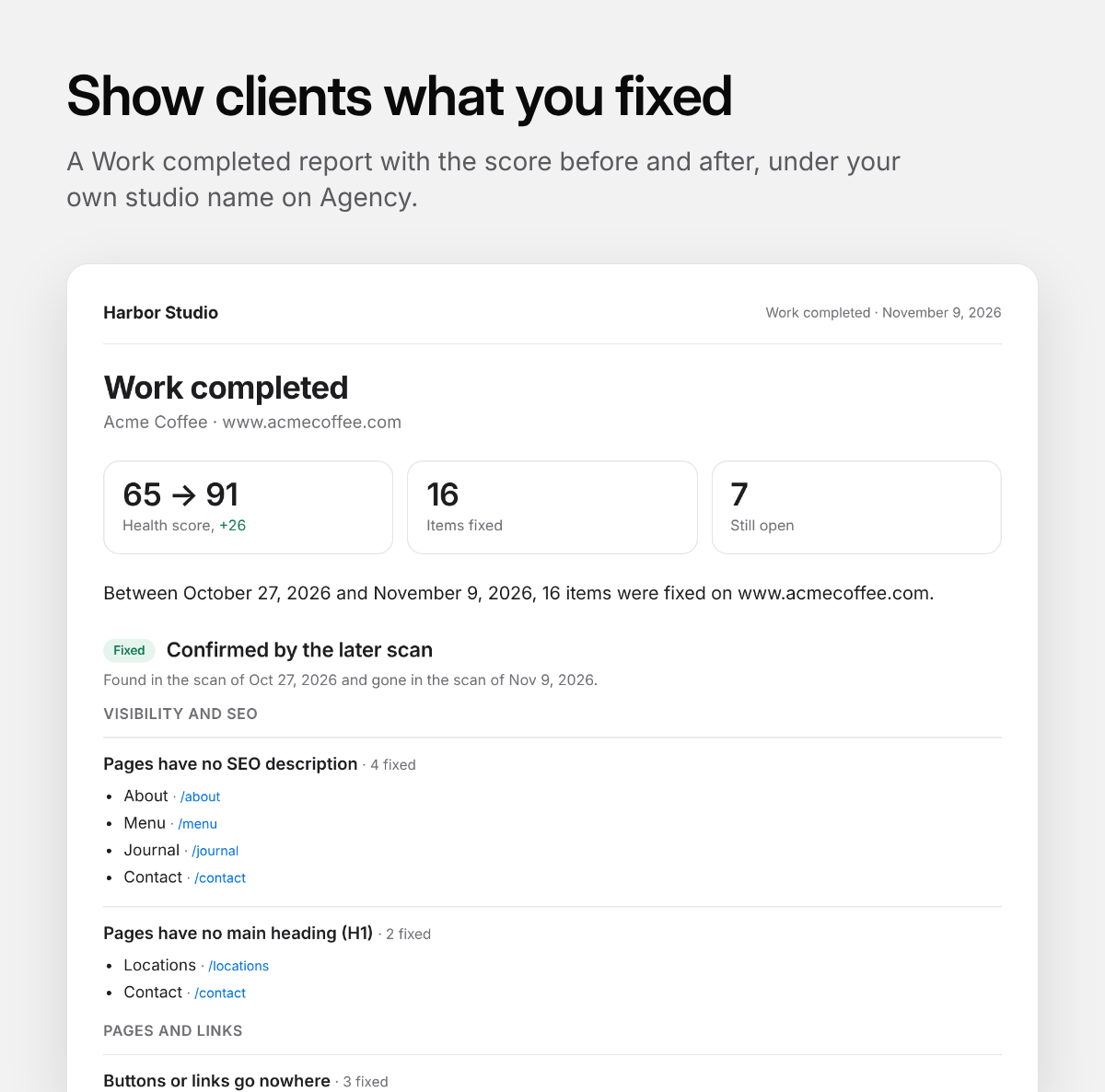
Think about how useful this could be if you're taking over an existing website or offering ongoing website maintenance.
You now have something tangible to show your client beyond the visual changes you've made.
Making quality control part of your business
If you're a solo designer, I'd add Health Scan to your existing launch checklist.
If you're working with junior designers or subcontractors, I'd make running a scan and reviewing the findings part of what you expect before a project is submitted for final review.
And if you're offering website maintenance packages, consider scanning your clients' websites periodically. Things change as clients add pages, upload images and edit content.
Try it on your next project
Health Scan works with Squarespace 7.1 and is free for one website.
The Pro plan covers five websites for $15/month (you can swap out sites but you lose the history), and the Agency plan covers unlimited websites with branded reports for $30/month.
The extension is read-only, so it won't make changes to the website you're scanning.
If you're working on a Squarespace website right now, give it a scan and see what turns up.