In 2017, a client paid me $500 to make the product images on their Squarespace website change based on which options a customer selected.
I hired a developer named Dmytro Kyselov to build it. Afterward, I asked him whether we could license the same code to other Squarespace users. He asked, "Do you mean like a plugin?"
About a week later, we launched our first plugin.
I'd already been helping Squarespace users find ways to customize, optimize, and grow their websites since 2015. Partnering with Dmytro gave me a way to turn some of those solutions into products. Over the years, we built a business around making functionality that once required custom development available to thousands of Squarespace users.
Now I can describe a design, interaction, or feature in ordinary language and have AI help build it. I can troubleshoot existing code, experiment with custom functionality, and create interactive tools without necessarily knowing how to program them myself.
I've been testing several AI tools, particularly those built specifically for Squarespace, and the experience has changed how I approach customization. It's also made me reconsider some of the assumptions behind the business I spent years building.
Here's what you can actually do with Squarespace and AI today, which tools make it possible, and where I'd still recommend a more traditional approach.
Disclosure: Some links in this article are affiliate links. If you purchase through them, I may earn a commission at no additional cost to you.
1. Create custom Squarespace designs without knowing how to code
Want an animated image gallery, a custom navigation menu, or a contact form that behaves differently from Squarespace's standard form? These are all things you could accomplish with custom code, but they typically required knowing enough HTML, CSS, and JavaScript to make them work.
Now you can describe what you want to ChatGPT, Claude, or another AI coding assistant. You can provide screenshots, examples from other websites, or instructions about how the finished element should behave, then test and refine the generated code.
The ability to describe a customization rather than write the code yourself has made custom development considerably more accessible. There's still a learning curve involved in implementing what AI generates, especially when it needs to interact with Squarespace's existing structure, but you can begin experimenting without first becoming a programmer.
SquareKicker Compose brings this directly into Squarespace
SquareKicker Compose brings AI-assisted customization into the Squarespace editing environment.
Instead of generating code in a separate conversation and figuring out where to install it, Compose works with the website you're already building. It can reference your existing page structure and site styles, generate custom code, and let you preview and refine the result.
I recently tested Compose by asking it to create a Typeform-style contact form on my Squarespace website. I wanted visitors to move through the form one question at a time, with a progress indicator and the ability to go backward.
I gave it a single prompt, and it worked.
The form also followed my website's existing design styles, which was particularly impressive. I ran a similar test using Claude and got a functioning form there too. Both tools could accomplish the task, but the process of getting the result onto my website was different.
With Claude, I had to do more of the implementation myself. Compose already had context about the site, so I could generate, preview, and refine the form directly inside Squarespace.
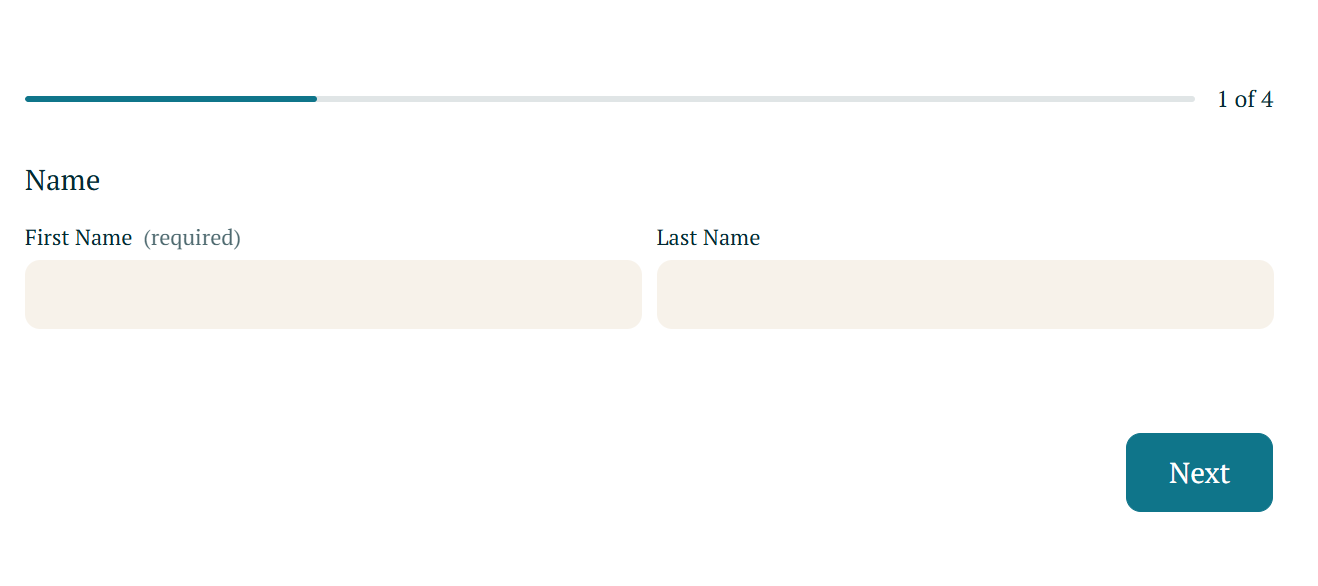
A Typeform-style contact form I created with SquareKicker Compose using a single prompt
Seeing that form working after a single prompt, my first thought was: prompts are the new plugins.
For years, my instinct when faced with a customization request was to look for an existing solution. Now I could describe exactly what I wanted and have something working on the page.
I've continued experimenting with custom navigation menus, hover effects, and other interactions across my Squarespace projects. Being able to describe an idea, see a working version, and make adjustments without setting up a separate development environment changes how freely I can experiment.
2. Point at something on your website and ask AI to change it
Sometimes the hardest part of customizing Squarespace is identifying the right thing to change.
Squarespace websites have their own sections, blocks, classes, and styles. Targeting one element without affecting anything else requires an understanding of how the page is structured. Two tools have emerged to make that process more accessible.
Robo-Will by Will Myers
Robo-Will works through Will Myers' Toolkit Chrome extension. You can select an element on your Squarespace website, describe what you want to change, and get CSS or JavaScript tailored to that element.
You might select a button and request a hover effect, or point to a section that's behaving strangely on mobile and ask for help correcting it. Robo-Will provides code you can review and install yourself.
Savvy by Squarestylist
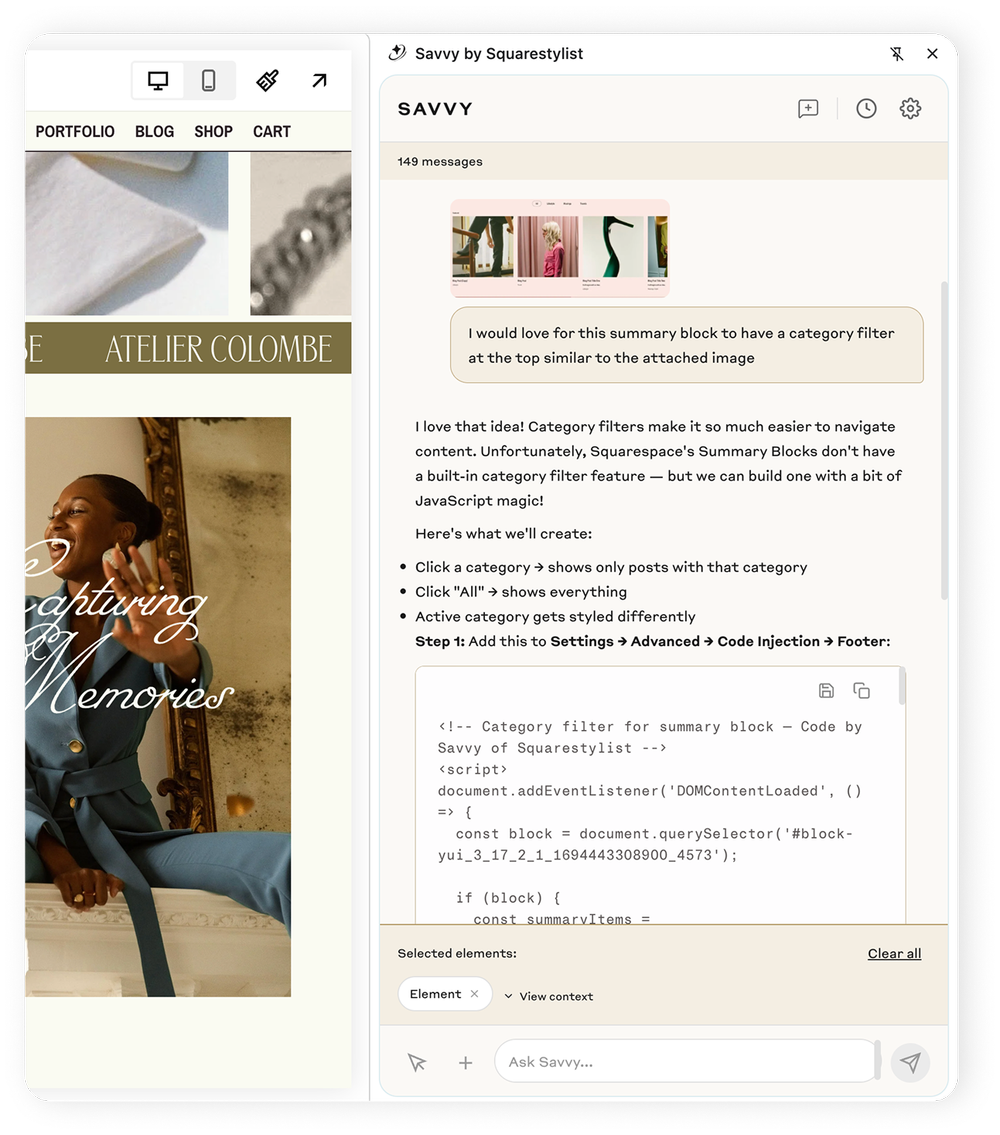
Savvy, developed by Squarestylist, offers a similar approach through a Chrome extension.
You can select elements visually, describe the customization, and attach reference images. Savvy then generates Squarespace-specific CSS or JavaScript that you can copy into your website.
Both tools reduce the amount of detective work involved in identifying elements and writing the correct selectors. Compose offers a different workflow, with code generation, previews, and implementation happening more directly inside Squarespace.
If a designer asked me which to start with, I'd probably tell them to begin with whichever AI assistant they're already using. Find something you've wanted to change on your website and see how far you can get by describing it.
Once you know what you're trying to accomplish, the advantages of a more specialized tool become easier to evaluate.
3. Build interactive tools and mini-apps for your website
I've been using AI to develop interactive tools for SQSPThemes, including ways to help people navigate large collections of templates and plugins.
When you're dealing with hundreds of options, presenting a long list of products isn't always the most helpful experience. Sometimes visitors need a way to describe what they're looking for and narrow the possibilities.
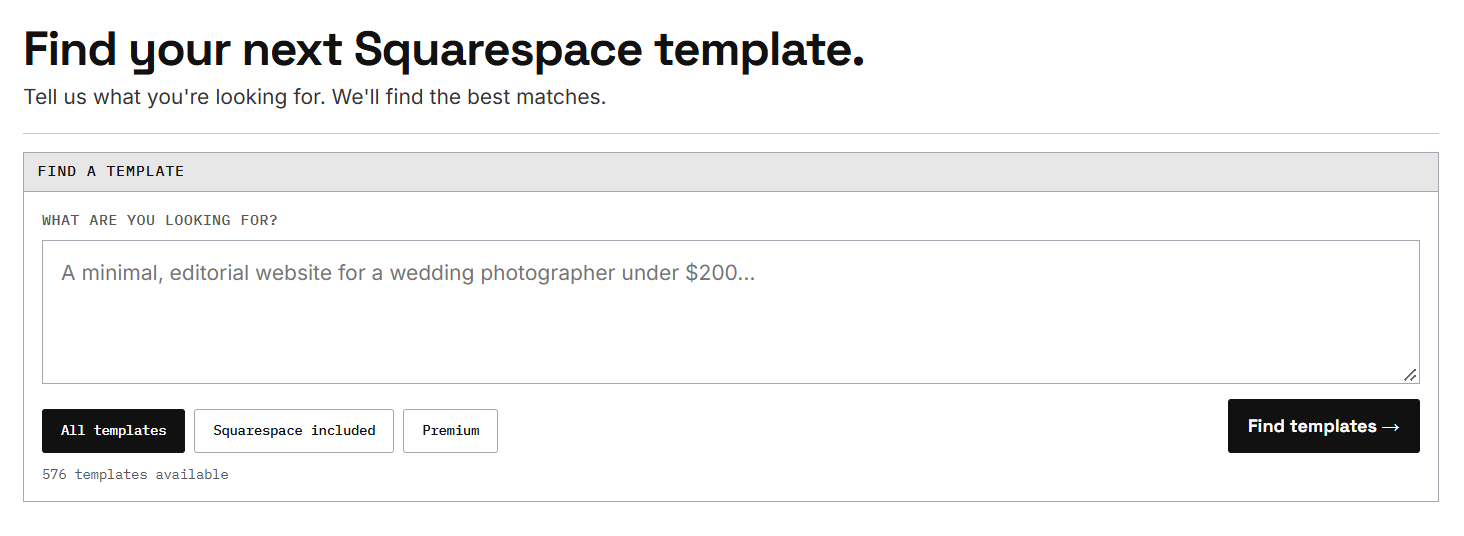
Tools like Lovable, Replit, Bolt, v0, ChatGPT, and Claude have made developing these kinds of interfaces more accessible.
You can use them to build pricing calculators, product recommendation tools, interactive questionnaires, custom forms, and filtering interfaces. You can also experiment with different versions before committing to a particular design.
Some produce HTML, CSS, and JavaScript that can be embedded directly into Squarespace. Others generate applications that need to be hosted separately and integrated through an iframe or external services.
That distinction matters when a feature needs to store information, authenticate users, process payments, or communicate with a database. Squarespace can provide the website and interface, but those capabilities may require infrastructure beyond what the platform supports natively.
I've found AI especially useful for prototyping. Instead of trying to explain an idea to someone else or imagining how it might work, I can create a functional version and evaluate it myself. Often, seeing the first version helps me understand what I actually wanted to build.
4. Create custom code your clients can actually maintain
When someone purchased a plugin from us, they weren't necessarily interested in the code. They wanted the functionality, and they wanted to be able to use it without becoming responsible for all the technical details.
I was reminded of that constantly through customer support.
People emailed about installations they couldn't figure out, updates they needed, download links that no longer worked, and customizations that behaved differently on mobile. Sometimes a Squarespace update would interfere with something that had worked for years.
Dmytro handled the technical development and support while I focused on the rest of the business. Over time, I came to appreciate how much work happened after the initial code was written.
AI doesn't eliminate that work.
You might generate a pricing section for a client in a few minutes, but what happens when they need to update a price, replace an image, or change the text on a button?
With a native Squarespace section, those changes are straightforward. With a custom code block, even simple updates can require someone who understands the code.
SQSmods Code Block Editor+ addresses this by providing a visual editing interface for content inside Squarespace Code Blocks. Users can update supported text, images, links, colors, and other properties through ordinary fields.
SQSmods has also expanded the product's capabilities. According to its October 20, 2026 release announcement, Code Block Editor+ now includes Create, which connects with Claude to generate custom sections inside Squarespace Code Blocks using the website's existing styles. The generated content can then be edited through the same interface.
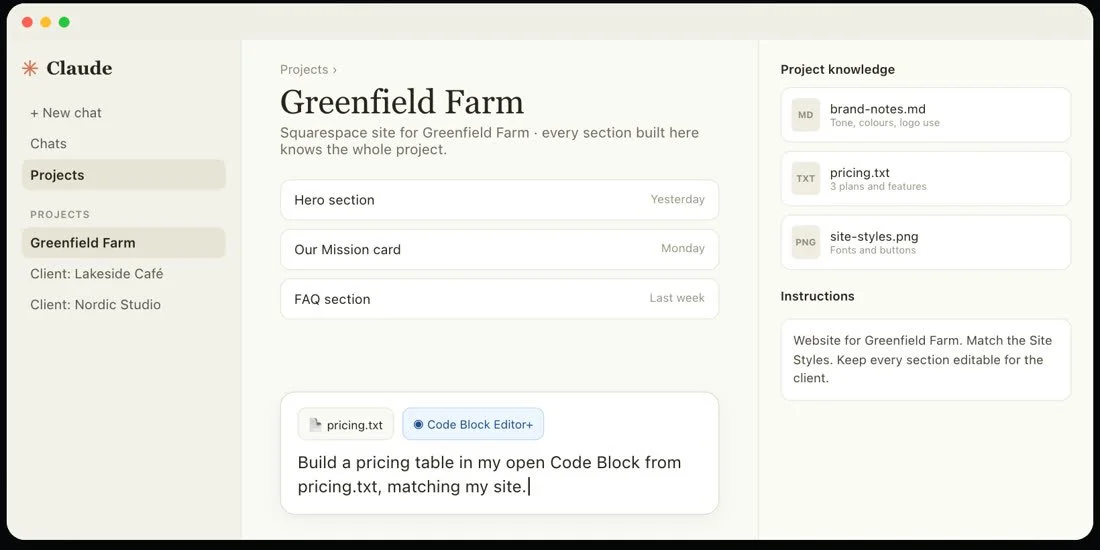
SQSmods Create generates custom sections with Claude, while Code Block Editor+ provides visual editing controls for maintaining them. Images: SQSmods
I appreciate the thinking behind that combination. Generating something useful is one challenge. Making it practical for someone else to own and maintain is another.
I've covered the editing functionality in more detail here: How to Edit Your Squarespace Code Blocks Without Touching the Code.
5. Troubleshoot Squarespace problems and improve existing code
Anyone who's worked extensively with Squarespace customizations knows the frustration of something suddenly breaking. A layout stops working after a page update, an animation behaves differently on mobile, or an old customization starts interfering with a newer feature.
AI can help investigate these problems when you provide the relevant code, screenshots, error messages, or page structure. You can ask it to explain unfamiliar code, identify potential conflicts, and suggest ways to simplify an existing implementation.
This is particularly useful when inheriting a client website or revisiting customizations that haven't been touched in years.
I also find that working through code with AI can help you understand it. Even if you wouldn't know how to write something from scratch, you can learn why it works, what each part is responsible for, and how changes might affect the rest of the page.
That's why I'd still encourage Squarespace designers to learn CSS, although I wouldn't insist they learn it before experimenting with customizations.
And the best part is the same AI can teach you, if you ask!